How to lock ZETA
Locking ZETA starts earning Anuma Tokens immediately. If you lock 80,000 ZETA or more, you also unlock the Anuma Pro Plan for as long as your ZETA stays locked.
Before you start
- You need ZETA in a wallet on ZetaChain. You can use the embedded wallet that comes with your Anuma account or connect an external wallet like MetaMask or Coinbase Wallet.
- If you don’t have ZETA yet, see the I don’t have any ZETA section below.
Steps
Step 1: Open Anuma Access
Tap Anuma Access in the sidebar. You land on the Anuma Access overview with two tiers — Anuma Pro Plan (80,000 ZETA) and Flexible Staking (any amount).
Step 2: Tap Get Started on the tier you want
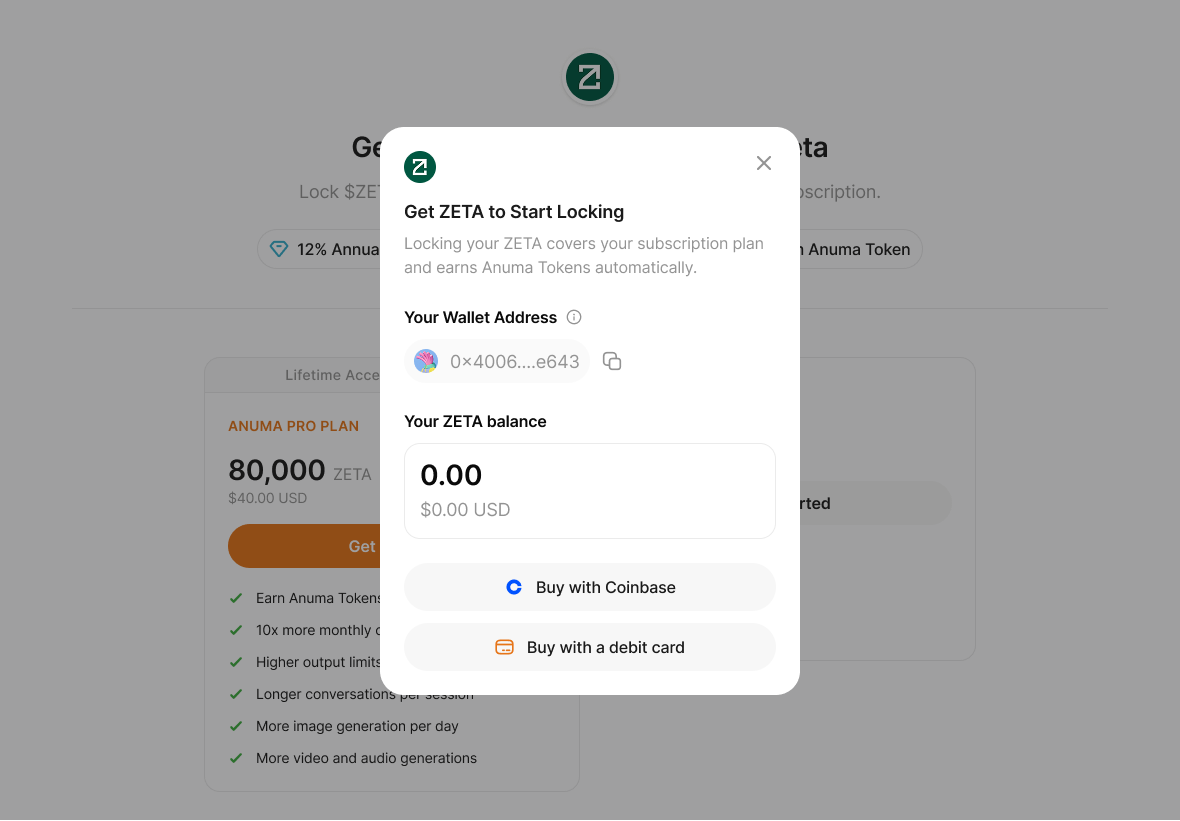
The lock modal opens with your wallet address and current ZETA balance.
Step 3: Enter the amount to lock
Type the amount of ZETA you want to lock. You can lock any amount up to your available balance. The modal shows a USD estimate based on the current ZETA price.
For the Pro tier, lock at least 80,000 ZETA to activate Pro benefits.
Step 4: Review the lock
Tap Lock ZETA. A review screen confirms the lock terms:
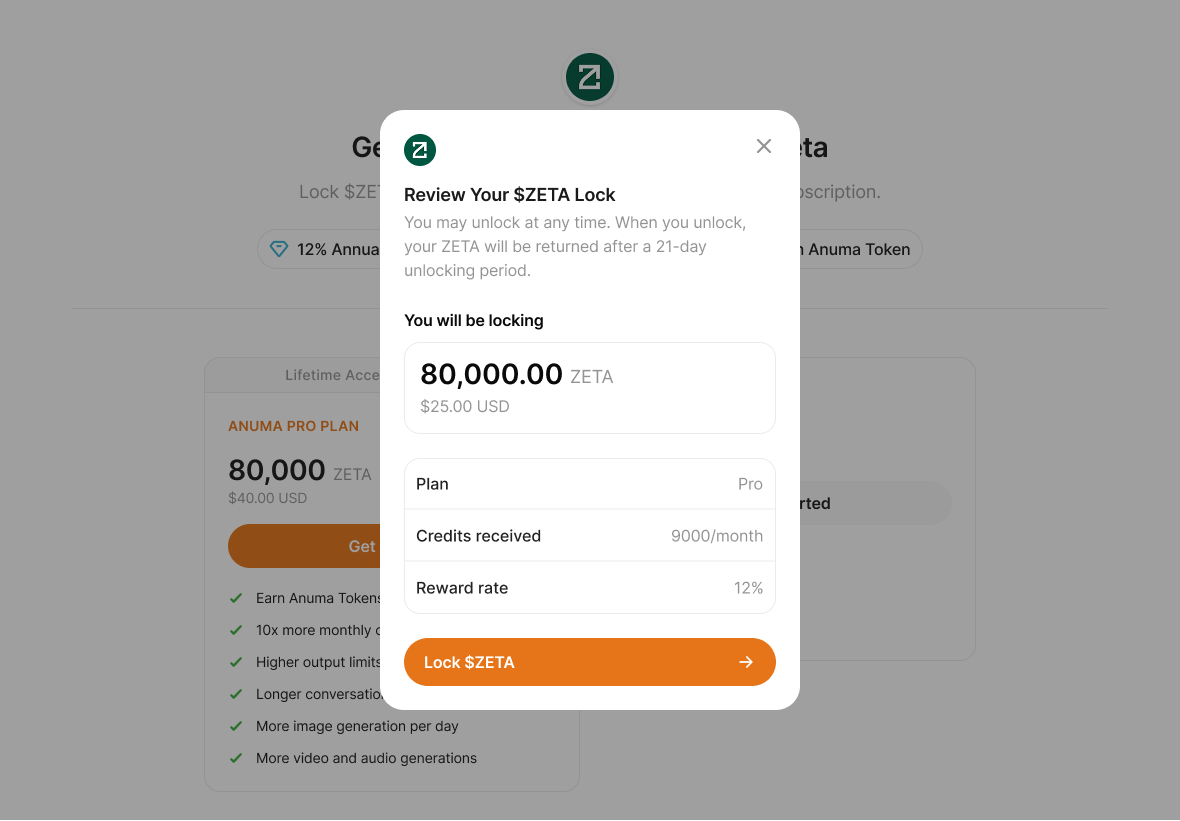
- Amount being locked — in ZETA and USD
- Plan — Pro if you’re locking 80,000+, otherwise your current plan
- Credits received per month — the credits you’ll earn from Anuma Token rewards on this amount
- Reward rate — 12% annual at launch (the rate is dynamic and may change over time — the dashboard always shows the current rate)
The review also reminds you that you can unlock anytime, but there’s a 21-day waiting period before your ZETA returns to your wallet.
Step 5: Confirm in your wallet
Tap Lock $ZETA. Your wallet prompts you to sign the transaction:
- Embedded Anuma wallet — signs automatically with no extra prompt
- External wallet (MetaMask, Coinbase Wallet, etc.) — opens your wallet for approval
Once the transaction confirms on ZetaChain, your ZETA is locked and you start earning Anuma Tokens immediately.
Step 6: See your locked balance on the dashboard
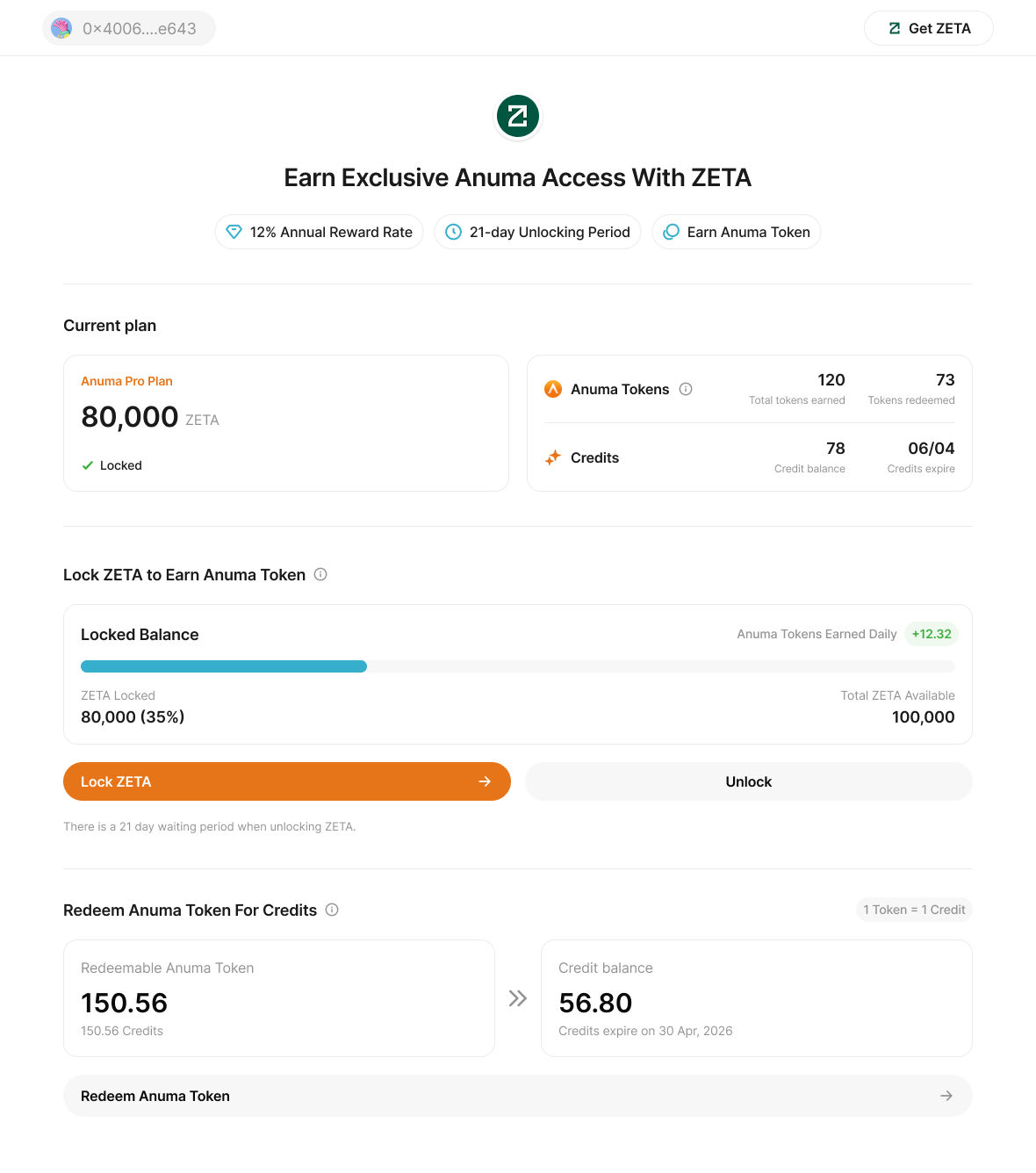
After the transaction confirms, the dashboard updates with your locked balance, daily Anuma Token earnings, and (if applicable) your new Pro plan badge.
I don’t have any ZETA yet
If your wallet balance is 0, Anuma surfaces a Get ZETA to Start Locking screen with two options:
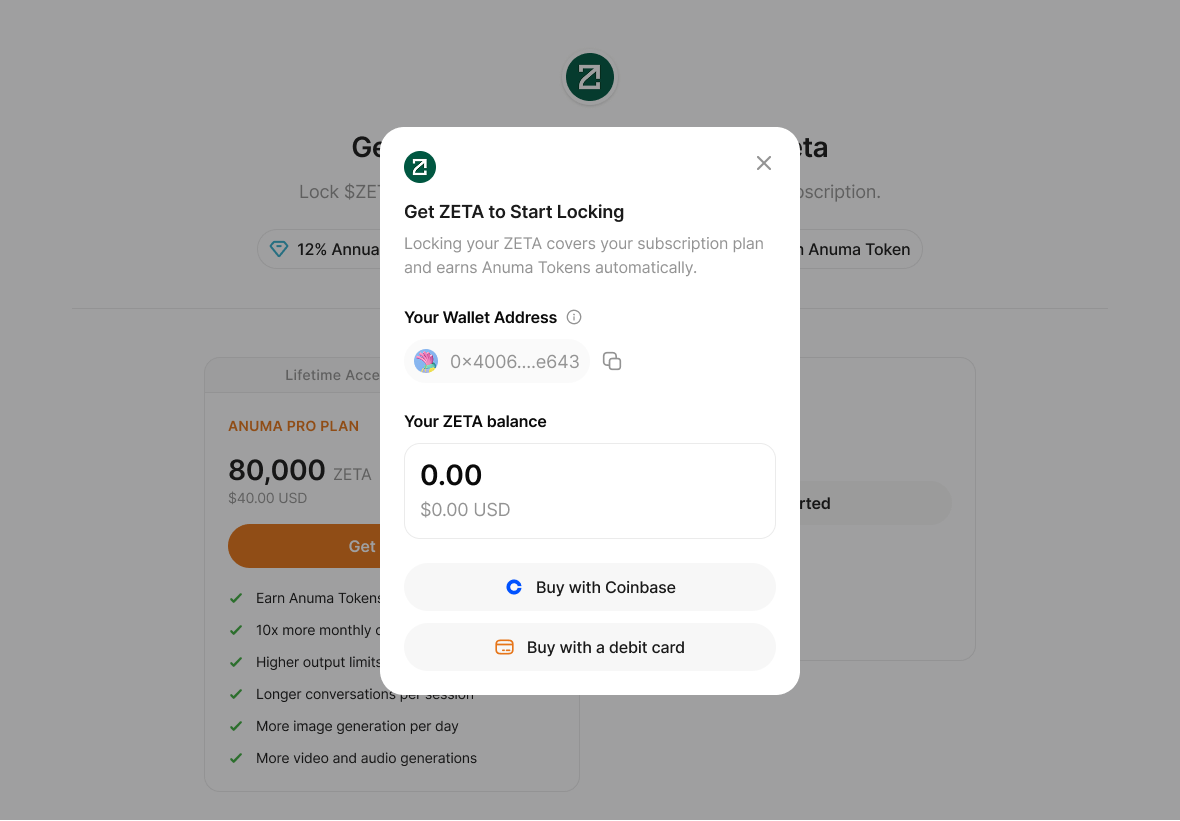
- Buy with Coinbase — opens Coinbase’s hosted purchase flow with ZetaChain pre-selected as the destination network
- Buy with a debit card — opens Alchemy Pay for credit/debit card purchases
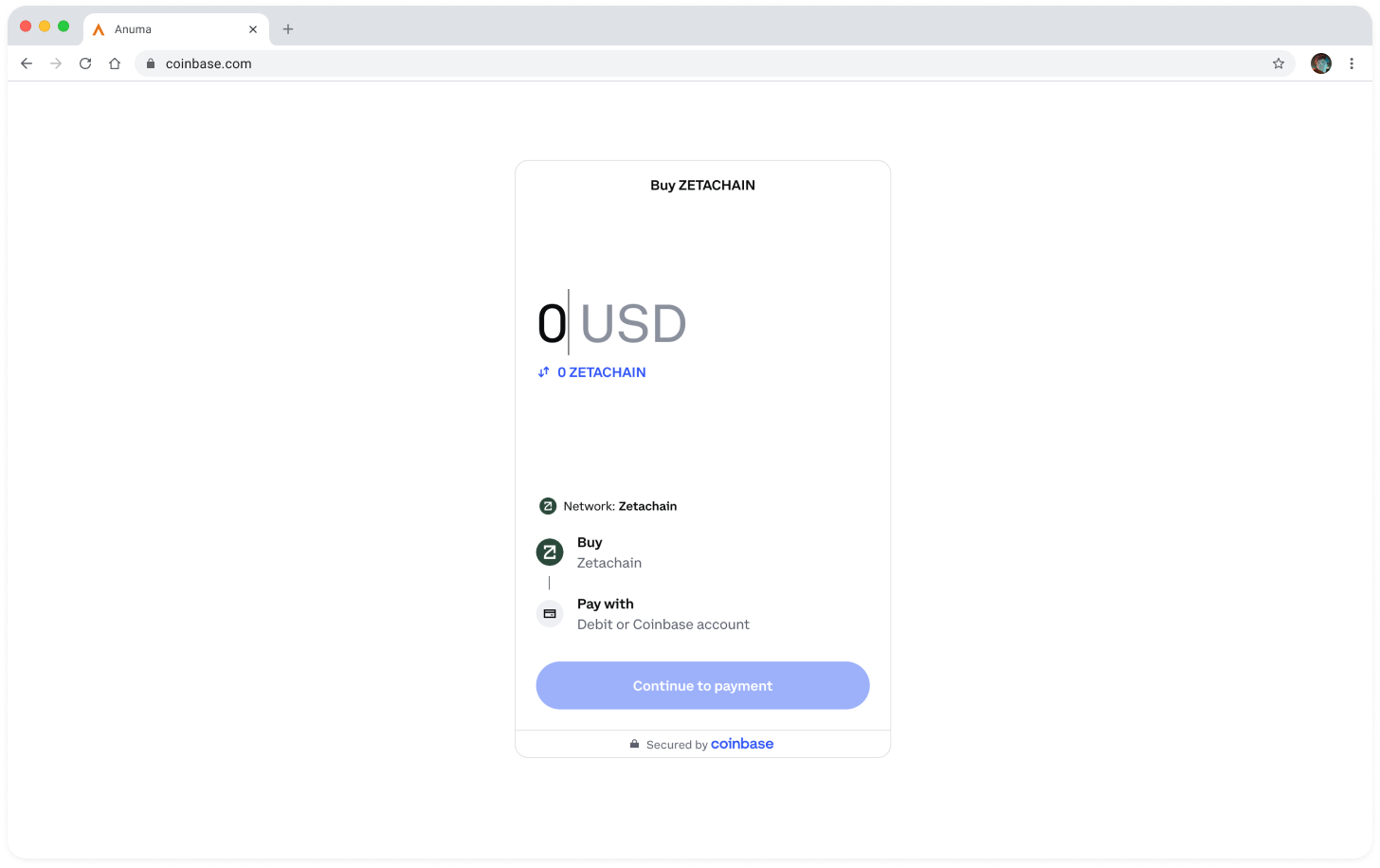
Both flows send the ZETA directly to your Anuma wallet address. When the funds arrive, return to Anuma Access and tap Get Started again.
You can also send ZETA in from another wallet — copy your Anuma wallet address from the Get ZETA modal and send from any ZetaChain-compatible wallet.
Good to know
- There’s no minimum lock amount — Flexible Staking works with any quantity.
- The 80,000 ZETA Pro threshold is fixed. Locking 79,999 ZETA earns rewards but does not activate Pro benefits.
- You can add to an existing lock at any time. Top-ups stack onto the same position.
- Locking ZETA does not commit you to a time period. You can begin unlocking anytime — see Unlock your ZETA.
- The transaction is processed on ZetaChain. Network gas is paid in ZETA from the wallet you use to sign.
- If the transaction fails, your funds are safe — nothing leaves your wallet until the contract call succeeds.
Related articles