Backup and encryption
Anuma automatically backs up your conversations, memories and media so a new device can restore them. The backup is encrypted on your device before upload and stored encrypted on Anuma servers. It is not end-to-end encrypted, so Anuma and its service providers may access it for operation, safety and legal compliance. Turn backups off in Settings to erase the server copy.
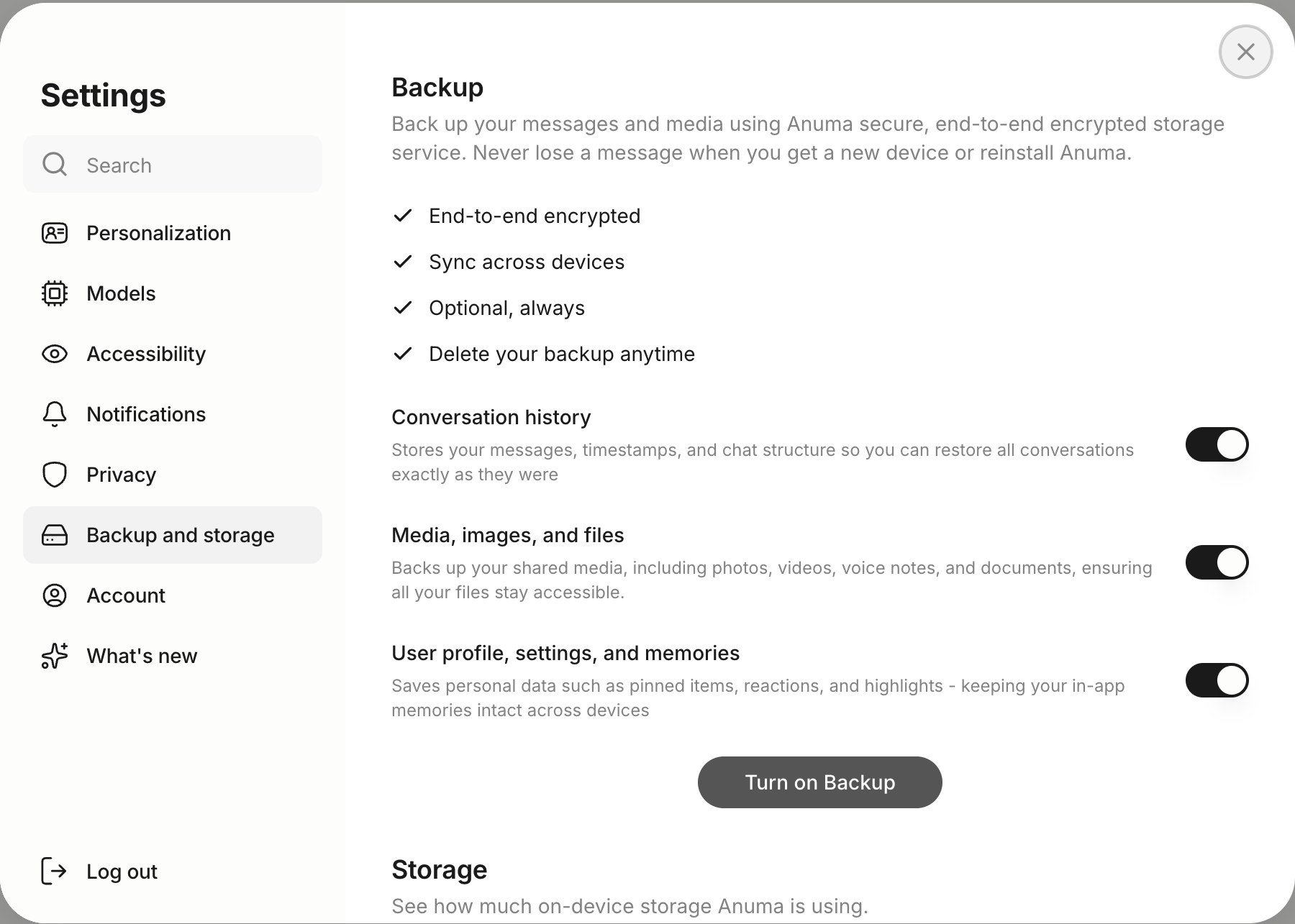
How backup works
Anuma runs automatic cloud backups in the background. Your conversations, memories, and media are encrypted on your device using AES-GCM encryption, then securely synced to the cloud for cross-device access and disaster recovery.
What gets backed up
- All conversations and chat history
- Your Memories
- Media files (images, audio, video), up to 50GB on Pro plan
- Personality settings and preferences
Encryption
- Client-side encryption, Your data is encrypted on your device before upload
- AES-GCM standard, Industry-standard authenticated encryption
- Key derivation, Encryption keys are derived from your secure identity
- Encrypted at rest, Anuma’s servers store the backup in encrypted form
Backup destinations
Beyond Anuma’s automatic encrypted backup, you can connect your own storage from Settings > Backup:
- iCloud, back up to iCloud (web)
- Local file, download an encrypted backup straight to your device (web)
The mobile app keeps the encrypted Anuma backup only. Google Drive and Dropbox export were removed in October 2026.
Steps
Step 1: Open Backup settings
Go to Settings > Backup to view your backup status.
Step 2: Check backup status
The panel shows your last backup time, storage usage, and sync status.
Step 3: Manual backup (optional)
Tap Backup Now to trigger a manual backup if you want to ensure your latest data is synced.
Backup by plan
| Plan | Chat backup | Media backup |
|---|---|---|
| Free | Limited | , |
| Starter | Unlimited | , |
| Pro | Unlimited | Up to 50GB |
Restoring from backup
If you lose your device or switch phones, sign in on a new device and use Restore from backup under Settings → Backup. Replace from backup overwrites what is on the device with the backup copy; both resume if interrupted.
Good to know
- Backup is automatic, no manual action needed for standard backups.
- Cross-device sync is encrypted and seamless, your data stays current everywhere you sign in.
- Backups are tied to your account. Learn more about privacy.
- Pro plan includes 50GB of media backup for images, audio, and video files. See plans .
- You can also export your conversations and memory manually at any time.
Related articles