Choosing the right model
Anuma gives you every major model through one interface with one memory. The picker in the app is the source of truth for what is available; this page is a snapshot.
Available on: web, iOS, Android. The app shows the curated list; the web adds Show all models for the full catalog.
Snapshot last updated: October 9, 2026.
Standard models
All accept images.
| Model | Provider | Plan |
|---|---|---|
| GPT 6 Sol | OpenAI | Starter |
| GPT 6 Luna | OpenAI | Free |
| Claude Fable 5.1 | Anthropic | Pro |
| Claude Opus 5.5 | Anthropic | Starter |
| Claude Sonnet 5 | Anthropic | Free (verified accounts) |
| Gemini 3.1 Pro | Free | |
| Gemini 3.8 Fast | Free | |
| Grok 4.6 | xAI | Free |
Also available behind Show all models on the web: GPT 5.5 (Starter), Grok 4.1 Reasoning and Non-Reasoning, GLM 5.3 Flash.
Private models
Open-source models run under zero-data-retention terms. All are Free.
| Model | Provider | Images |
|---|---|---|
| Kimi 2.6 (default private model) | Kimi | Yes |
| Kimi K3 | Kimi | Yes |
| Qwen 3.8 Max | Qwen | Yes |
| Qwen 3.7 Plus | Qwen | Yes |
| MiniMax M3 | MiniMax | Yes |
| GLM 5.3 | Zhipu | No |
| Ling 3.0 Flash | InclusionAI | No |
The Private badge is about retention at the provider. It does not control Nearby sharing; the eye icon does.
Image and video models
- Images: Flux 2 Klein (default) and Flux 2 Pro on every plan; Nano Banana 2, Nano Banana Pro, Nano Banana Flash and Grok Imagine from Starter. See Images and videos.
- Video: Veo 3.1 Quality (default), Veo 3.1 Fast, Grok Imagine, Gemini Omni Flash, Kling v3 Pro, Vidu Q3, PixVerse v6, Seedance 2.0, Kling v2.6 Pro.
Pick a model
- Tap the model pill in the chat header.
- Choose Auto to let Anuma pick per message, or tap a model. On mobile, Configure models opens the full list.
- Keep chatting. Your memory comes along whichever model answers.
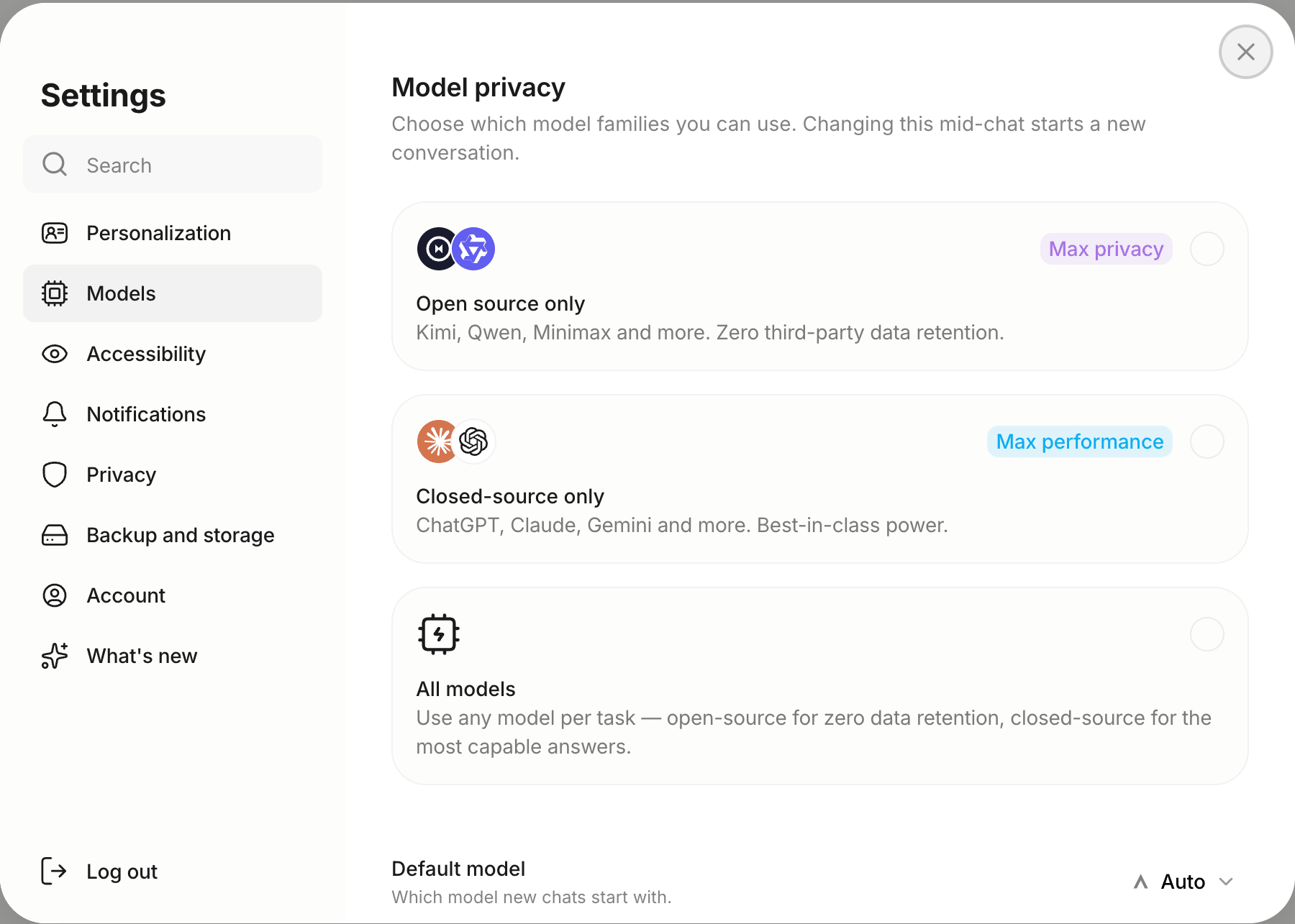
Model privacy under Settings → Models limits which families appear: Open source only, Closed-source only, or All models. Changing it starts a new chat.
Which model should I use?
- Most things: Auto, or GPT 6 Luna.
- Hard reasoning, long documents: Claude Opus 5.5 or Claude Fable 5.1 (Pro).
- Writing and code: Claude Sonnet 5, GPT 6 Sol.
- Speed: Gemini 3.8 Fast, Grok 4.6, Ling 3.0 Flash.
- Maximum privacy: any Private model; Kimi 2.6 is the default.
Good to know
- Most premium models unlock with Starter; a small set of flagship models (currently Claude Fable 5.1) is Pro-only.
- A Free account that has not linked Google, Apple or a phone number cannot use Claude models until it verifies. See How to create an account.
- Models cost different amounts of credits per message. See Credits and usage.
- Retired models hand off automatically: a conversation on a retired model continues on its replacement.
- OpenAI models are hidden in the app when the device region is China.
Related articles