How Anuma keeps your data private
This page says plainly what happens to your data. It follows the Privacy Policy (effective September 28, 2026); if the two ever differ, the policy wins.
Available on: web, iOS, Android.
Encryption
Conversations, memories and files are encrypted in transit and at rest. They are not end-to-end encrypted unless a specific feature says so, which means Anuma and its service providers may access them for operation, safety and legal compliance.
Where your data lives
- On your device, where Anuma works with it. On the web, tool results saved there are encrypted like the rest of your chat data, and signing out clears the local caches.
- In your encrypted backup on Anuma servers, so a new device can restore your account. Backups are on by default. Turn them off under Settings → Backup and the server copy is erased.
- In a few places you choose: public share links keep a readable copy of the shared messages until you delete the link; memories you share with Nearby are sent to the Nearby service for matching; images you generate in Public mode can appear on your Nearby profile.
- Not on a model’s say-so. On the web, scheduling a task or creating a public GitHub repository from chat needs your explicit OK, and only images Anuma itself generated can reach your Nearby profile in Public mode. New memories still follow the privacy eye, as described in Nearby and your data.
No training by default
Anuma does not use your conversations or memories to train its own models by default, and does not sell your information.
What AI model providers receive
When you send a message, the prompt plus the context Anuma adds (relevant memories, your personalization, attachments) goes to the provider of the model you picked so it can answer. The provider’s own terms govern retention and training.
- Closed-source models (GPT, Claude, Gemini, Grok) run on their providers’ servers.
- Open-source models in the Private section run under zero-data-retention terms. The Private badge is about the provider; it does not control Nearby sharing.
- Model privacy under Settings → Models limits which families you use at all: Open source only, Closed-source only, or All models. See Open source vs closed source.
Redact personal details before they are sent
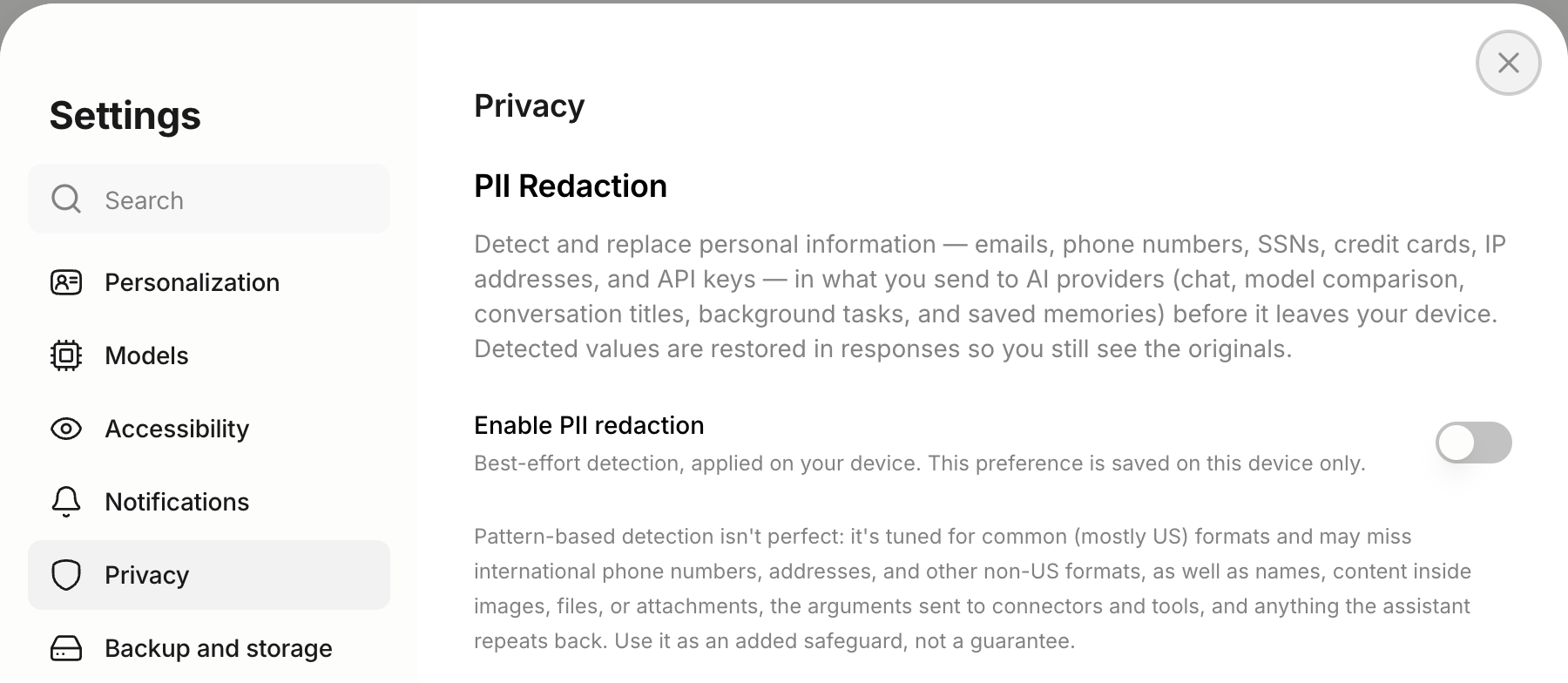
Turn on PII redaction under Settings → Privacy. Anuma scans each message on your device for email addresses, phone numbers, card and Social Security numbers, IP addresses and API keys, swaps them for placeholders like [EMAIL_1] before sending, and restores the real values in the reply. It works with every model and in Council Mode, on web and mobile. Detection is pattern-based and best-effort: it does not scan attachments or connector data, so treat it as a safeguard rather than a guarantee.
Nearby
Nearby only uses what you make public: your profile, memories with Share in Nearby on, and generated images in Public mode. Your location is rounded to about one kilometer before it leaves the device and is shared only while the app is open in Public mode. Nearby messages are encrypted in transit and at rest, not end-to-end. See Nearby and your data.
Analytics
Anuma uses analytics providers (PostHog and Google Analytics) to understand how the product is used. You can turn analytics off in Settings.
Export or delete
- Export memories from your memories list, save a chat as PDF, or keep the encrypted backup. See Export memory.
- Delete a memory or conversation from the app. Memories that age out wait in Archived for 30 days first.
- Delete your account under Settings → Account. This removes your conversations, memories, backups, created content and Nearby profile. Copies in backups, content you shared with others, and records kept for legal, safety or fraud-prevention reasons may take longer. See Delete your account.
- For a privacy request (access or deletion under GDPR or CCPA), email support@anuma.ai.
Related articles