How Anuma agents work
Anuma agents are purpose-built AI assistants that handle real-life tasks — like housing and billing. Each agent leverages your private memory for personalized assistance, right in the Anuma app.
How agents differ from regular chat
Regular chat gives you a general-purpose AI conversation. Agents are built for specific tasks. They know what questions to ask, what documents to review, and what actions to take. They also read from Memories to personalize their help.
How to use an agent
Step 1: Open Agents
Tap Agents in the sidebar to open the Agents page. You can also reach it from the chat creation menu by tapping the menu button and selecting Agents.
Step 2: Choose an agent
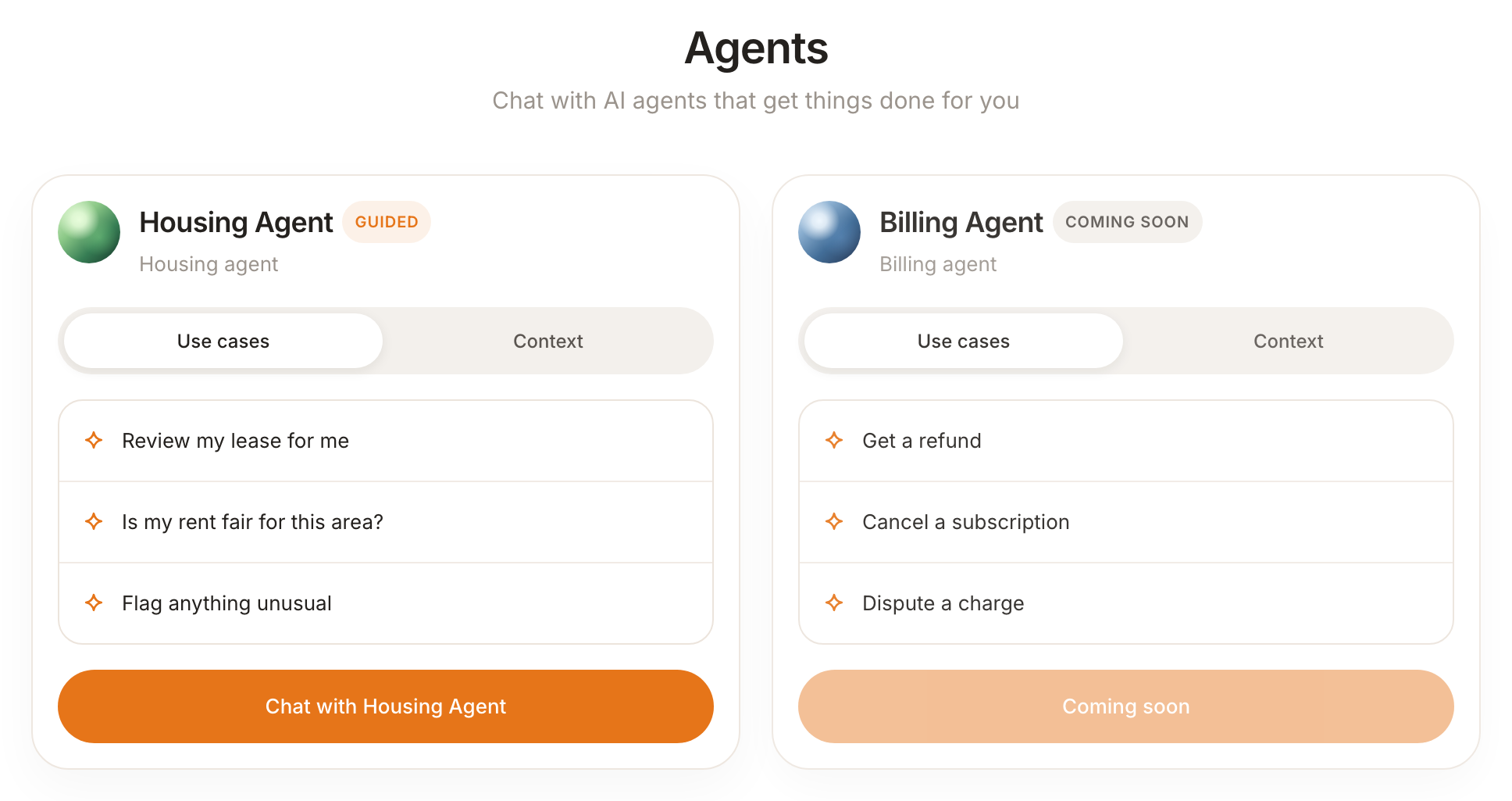
Each agent has its own card — for example the Housing Agent and the Billing Agent. Every card has a Use cases tab showing example tasks (e.g. “Review my lease for me”, “Dispute a charge”) and a Context tab. Agents marked Coming soon aren’t available to chat with yet.
Step 3: Start a conversation
Tap Chat with [Agent] to start. The agent introduces itself and begins working on your task. It may ask you questions, request documents, or guide you through a process.
Available agents
- Housing Agent — review your lease, check whether your rent is fair for the area, and flag anything unusual. Available now.
- Billing Agent (coming soon) — get a refund, cancel a subscription, or dispute a charge.
More agents are on the way — the Agents page in the app is always the source of truth for what’s available right now.
Good to know
- Agents access Memories for context, so they can give personalized advice based on your history.
- Agents work across the Anuma app on web, iOS, and Android.
- Agents handle real tasks — they don’t just give advice. They help you create dispute letters, review documents, and take action.
- You can customize how agents communicate using personality settings.
Related articles