How to upgrade to Pro
Anuma offers three plans: Free, Starter, and Pro. Upgrading gives you more credits, unlimited backup, and early access to new features. See full pricing details .
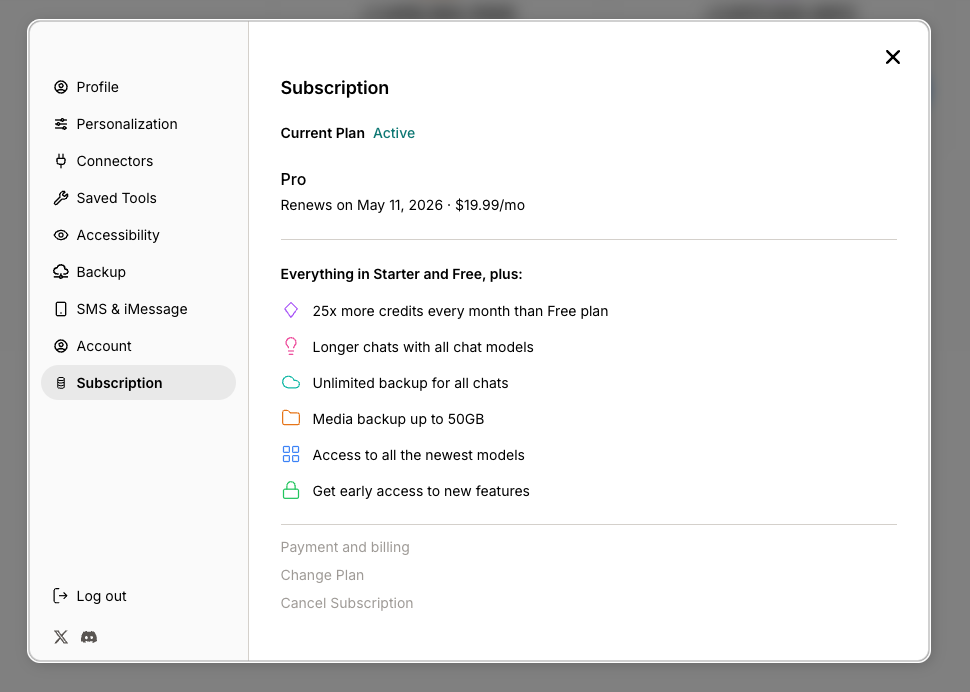
Steps
Step 1: Open Settings
Tap your profile icon or open the settings menu from the sidebar.
Step 2: Go to Subscription
Select Subscription from the settings panel list.
Step 3: Choose your plan
You can see your current plan and available upgrades:
| Plan | Price | Credits | Key features |
|---|---|---|---|
| Free | $0/mo | 100/mo | All features, all models, image generation |
| Starter | $9.99/mo | 1,000/mo | 10x credits, higher output limits, unlimited images |
| Pro | $19.99/mo | 2,500/mo | 25% cheaper per credit, unlimited backup, 50GB media, early access |
Toggle between Monthly and Annual billing. Annual plans save 20%.
Step 4: Tap “Upgrade”
Select the plan you want and complete payment. Your new credits and features activate immediately.
Good to know
- Every model is available on every plan — Free, Starter, and Pro. See all models.
- You can upgrade, downgrade, or cancel anytime from the Subscription panel. No cancellation fees.
- Tap Payment and billing to manage your payment method through the Stripe billing portal.
- If you have a promo code, you can apply it during the upgrade process.
- Want to earn by sharing Anuma? Check out the affiliate program.
Related articles
Last updated on