Memories
Memories are what Anuma keeps about you: facts, preferences, plans and ongoing context from your chats, plus anything you add or import yourself. They load into every conversation with every model, and they are the raw material Nearby uses to find people you might click with.
Available on: web, iOS, Android (the Memory Graph view is web only).
Open your memories
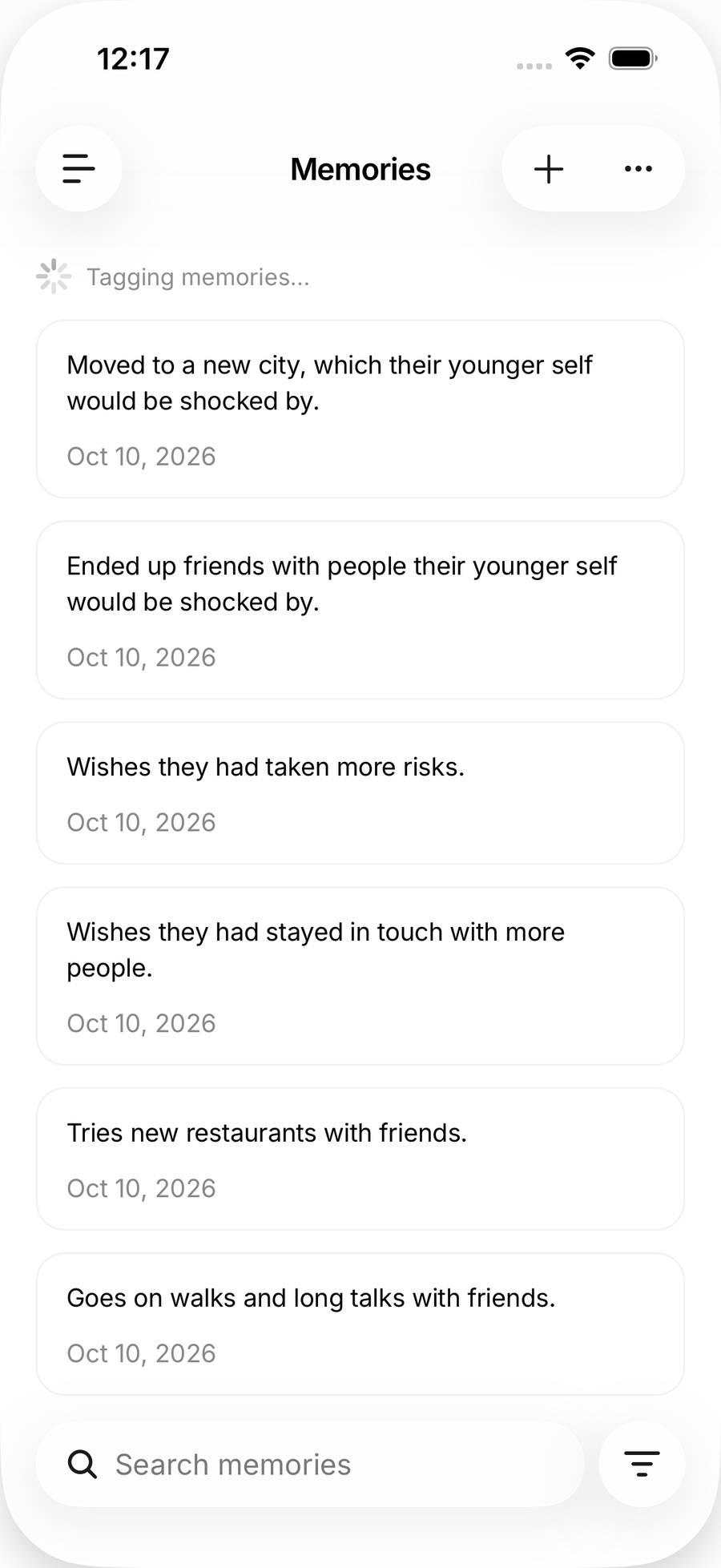
On the web, tap Profile in the sidebar. It opens your memory profile: a memory of the day, your memories as stickers piled by subject on a cork board, and a sticker book you can open full screen. Choose All memories from the profile menu for the full list. In the mobile app, tap Memories in the sidebar.
In the list, search finds memories and topics by meaning, not just keywords. Filter by privacy (All, Public, Private) or by topic.
Web
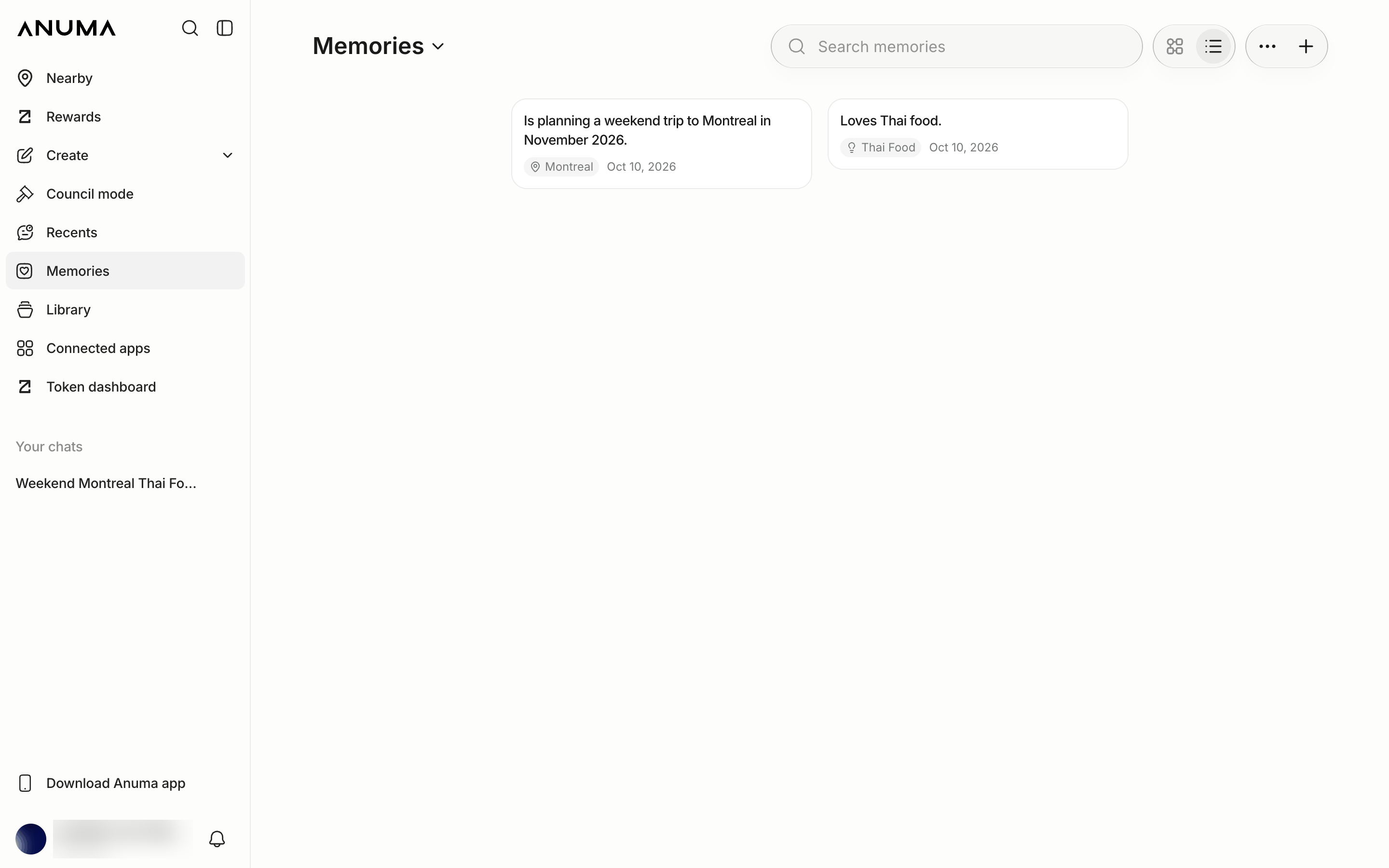
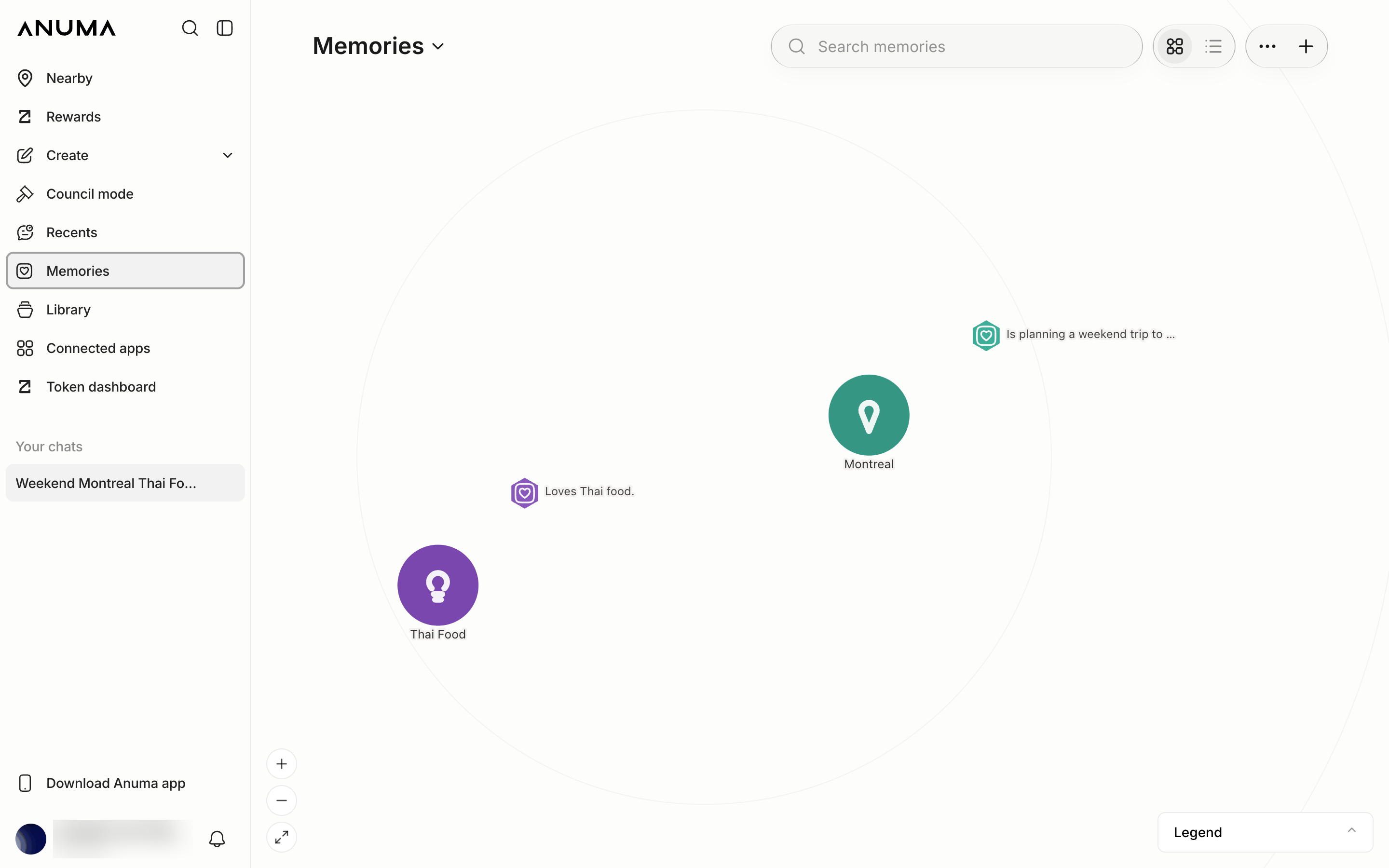
The Memory Graph (web)
On the web, All memories is a graph: every memory linked to the people, places and topics it mentions. A Graph / List toggle switches to a table where topics act like folders for bulk edits. Click any node to edit its text, topics or privacy, or to delete it. While you chat, Just remembered and Cited chips show memories being saved and used in real time.
Public, private, and Nearby
Every memory is Public or Private, and two controls decide which:
- The eye in the chat header sets the default for new memories. Eye open is Public mode: new memories from that chat are Public, and in Nearby terms that means they are shared with your profile and used for matching. Eye slashed is Private mode: new memories stay Private, and nothing new reaches your Nearby profile. New accounts start in Public mode. The eye is the same switch as Nearby’s Public and Private mode.
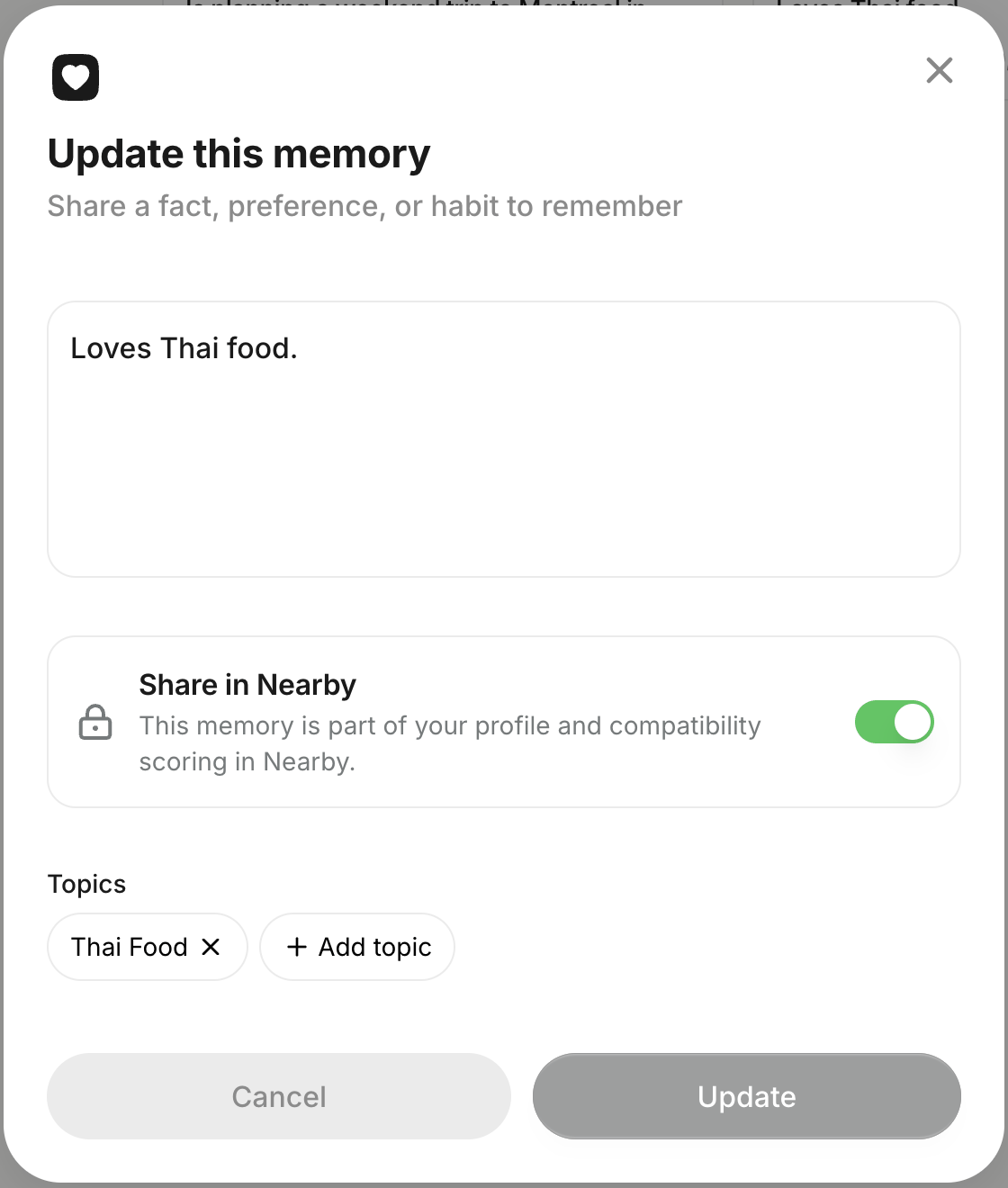
- The per-memory switch. Open any memory and use Share in Nearby. On: “This memory is part of your profile and compatibility scoring in Nearby.” Off: “This memory is not used in Nearby. It is still available to Anuma in chat.” In List view you can change many at once.
Three things the eye does not do: it does not stop Anuma remembering (Private mode still saves memories, privately); it does not limit which models see a memory (every model you chat with can use your relevant memories); and it is not the same as the Private badge on open-source models, which is about data retention at the provider. See Memory and Nearby.
Edit, organize, delete
- Open a memory to edit its text, topics or privacy, or to delete it.
- Every memory carries topic chips Anuma generates (edit them if you like). In List view, select a topic to review or bulk-edit everything under it.
- Add memory from the + menu in any chat saves something on the spot.
- In any conversation, open the Memories panel (web) or sheet (mobile) to see which memories that chat is drawing on.
Housekeeping Anuma does for you
- Topics are labeled automatically within a few seconds of a memory being added or imported.
- Junk filtering keeps empty fragments, verbatim echoes of a chat turn, and “facts” that are just your name out of your memories.
- Archived. Memories that age out of recall move to a collapsible Archived section with a Restore button. Archived memories you do not restore are deleted 30 days after archiving.
- Held for review. Content that looks unsafe to store (for example a prompt-injection attempt) is quarantined, counted, and never shown or used.
Import and export
On the web, the Import & export menu in your memories list brings in conversations from ChatGPT, Claude or Grok, imports memories from a PDF or Word document, and exports your memories as a file. The app’s Memories screen has the same three-provider import and an Export memories option. See Import conversations and Export memory.
Good to know
- Memories are encrypted in transit and at rest and synced across your devices through your encrypted backup. They are not end-to-end encrypted. See How Anuma keeps your data private.
- Anuma does not use your memories to train its own models by default.
Related articles