How to delete your Anuma account
You can permanently delete your Anuma account from Settings on web or in the mobile app. Deletion removes your account, all conversations, all memories, and all server-side backups, and cancels any subscription billed by Stripe (web and Android). If you subscribed in the iOS app, your App Store subscription is separate, cancel it with Apple too (see how). The action is irreversible.
Before you delete
- Deletion cannot be undone. Once you confirm, your account and data cannot be recovered.
- Stripe subscriptions (web and Android) are canceled as part of deletion, so you don’t need to cancel them first. iOS App Store subscriptions must be canceled separately with Apple.
- Remaining credits are forfeited at deletion. If you want to use them up, do that first.
- Consider exporting your memory and exporting your conversations before you delete, these will not be available afterward.
Steps
Step 1: Open Settings
Open Settings from your profile menu in the sidebar.
Step 2: Open Account
Select Account from the settings list.
Step 3: Click “Delete Account”
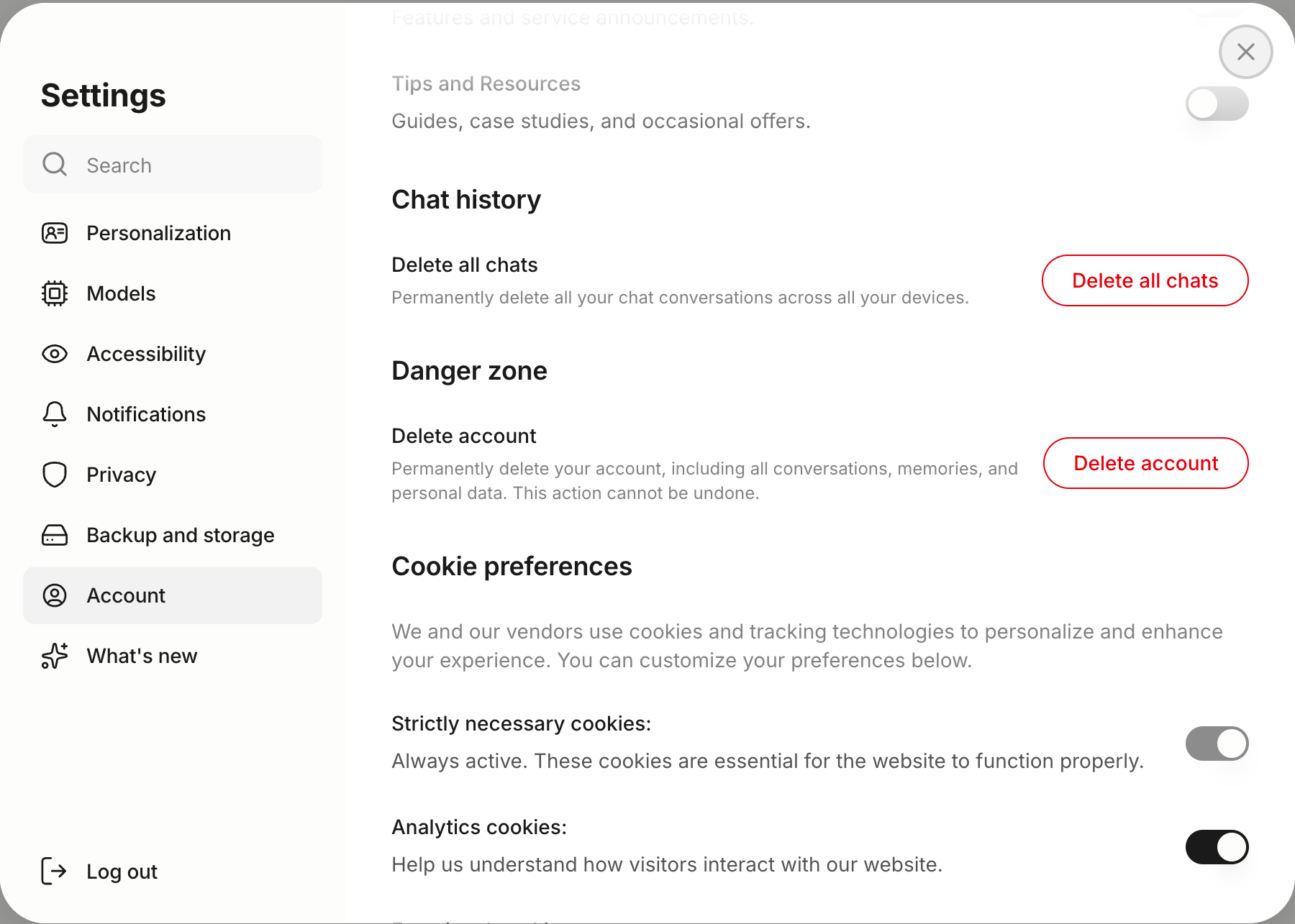
Scroll to the Danger Zone section. You’ll see “Delete Account: Permanently delete your account, including all conversations, memories, and personal data. This action cannot be undone.” Click the red Delete Account button.
Step 4: Confirm deletion
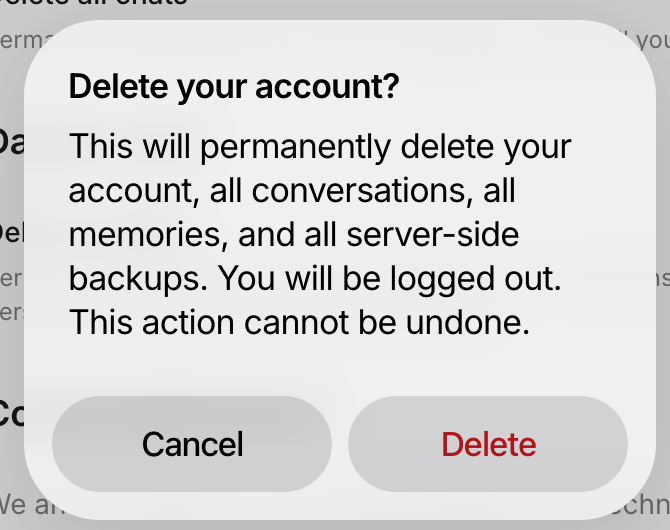
A confirmation dialog opens asking “Delete your account?” with the message: “This will permanently delete your account, all conversations, all memories, and all server-side backups. You will be logged out. This action cannot be undone.” Click the red Delete button to proceed. Anuma signs you out automatically once deletion finishes.
What gets deleted
- Your account record and profile.
- All conversations and chat history.
- All saved memories.
- Any remaining credits.
- Your active subscription, canceled in Stripe.
- All server-side encrypted backups.
- Your Nearby profile, messages and meetups.
- Local app data on the device you deleted from.
On the mobile app
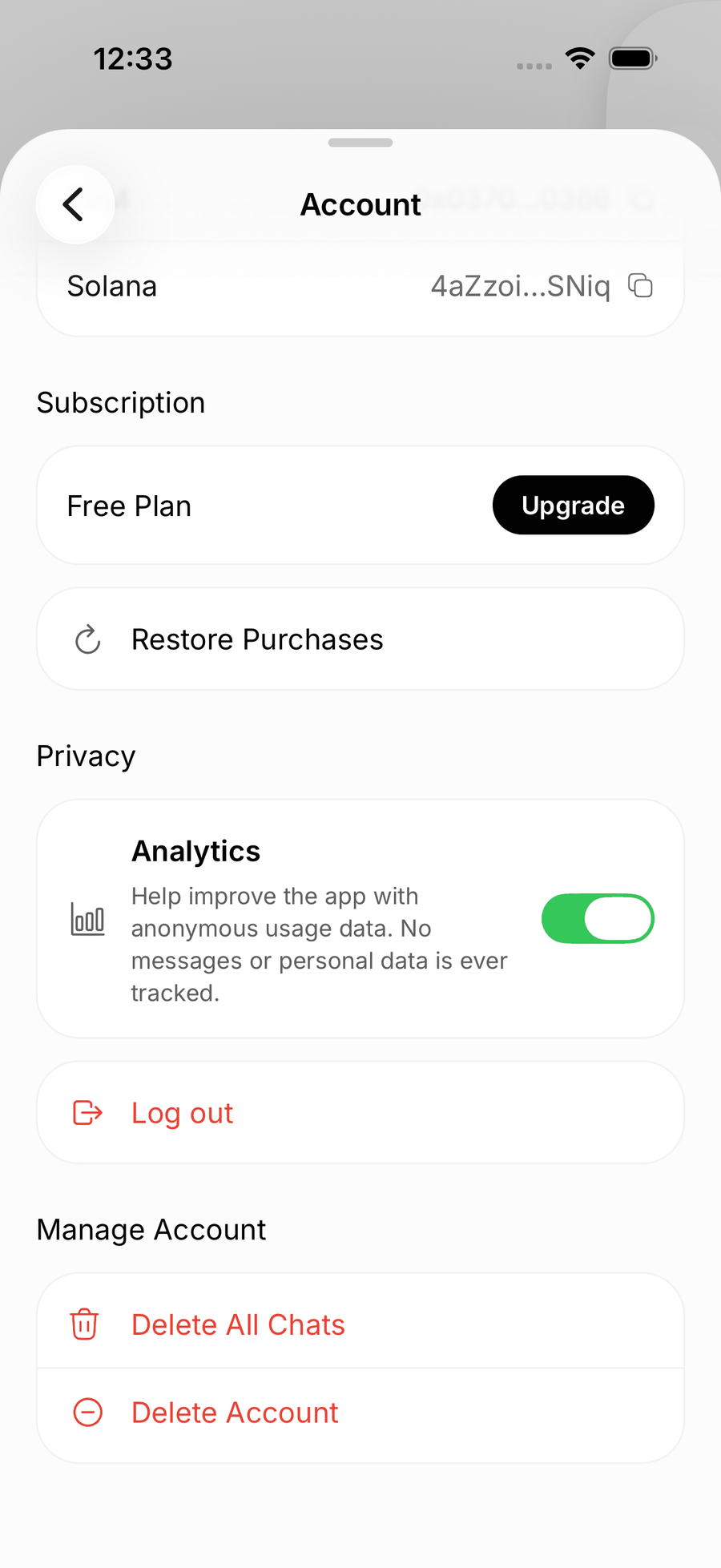
The flow is the same: open Settings from the sidebar → Account → scroll to Manage Account → tap Delete Account, then confirm in the native alert. The result is identical: your account, conversations, memories, backups, and subscription are all removed.
Web
If you subscribed in the iOS app, deleting your account removes it from Anuma, but your App Store subscription is separate, cancel it in your App Store settings too so it doesn’t renew. See How to cancel your subscription.
Good to know
- Deletion runs against your account on the server, so it removes data everywhere, other signed-in devices clear their local data the next time they refresh.
- If you sign back in with the same identity after deletion, Anuma provisions a fresh empty account. None of your prior conversations, memories, or backups are restored.
- Copies in backups, content you shared with others, and records kept for legal, safety or fraud-prevention reasons may take longer to disappear. For full policy detail, read the Anuma Privacy Policy .
Related articles