How to stake $ZETA
Staking $ZETA earns AI credits automatically for as long as your $ZETA stays staked. Reach 80,000 $ZETA staked and you also unlock the Anuma Pro Plan.
Staking happens on ZetaHub . Anuma connects your wallet, tracks your staked balance, and deep‑links you to ZetaHub to complete the on‑chain stake.
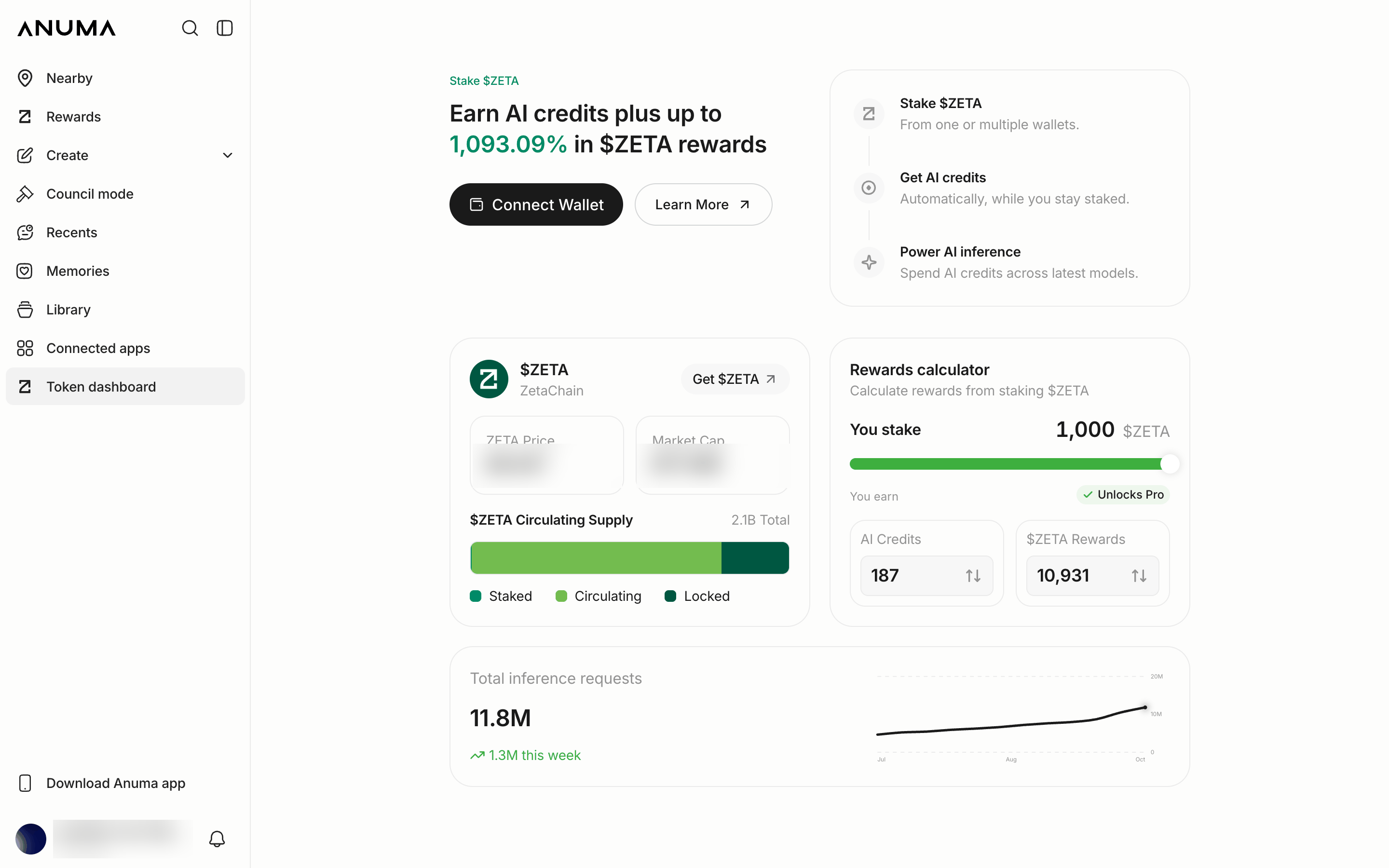
Example figures. The reward rate and balances shown update on the page and will differ from what is pictured.
Before you start
- You need $ZETA in an external wallet on ZetaChain (for example MetaMask or Coinbase Wallet). The wallet must be connected and bound to your Anuma account so your staking counts toward your credits. See Connect your wallet.
- If you don’t have $ZETA yet, see I don’t have any $ZETA yet below.
Steps
Step 1: Open the Token Dashboard
Tap Token Dashboard in the sidebar to open it.
Step 2: Connect your wallet
Tap Connect Wallet and bind the external wallet that holds your $ZETA. This signature proves you own the wallet and links it to your Anuma account. It does not move any funds. See Connect your wallet for the full flow.
Step 3: Tap Stake
Once your wallet is connected, tap Stake (or Stake More if you already have a position). Anuma opens ZetaHub with ZetaChain staking ready to go.
Step 4: Complete the stake on ZetaHub
Choose how much $ZETA to stake and confirm the transaction in your wallet on ZetaHub. You can stake any amount; to reach Pro, get your combined staked balance to 80,000 $ZETA or more.
Step 5: Watch your credits accrue
Back on the Token Dashboard, your staked balance updates and AI credits begin accruing automatically. The page shows your combined staked balance across every connected wallet, your AI credits, your $ZETA staking rewards, and your progress toward Pro.
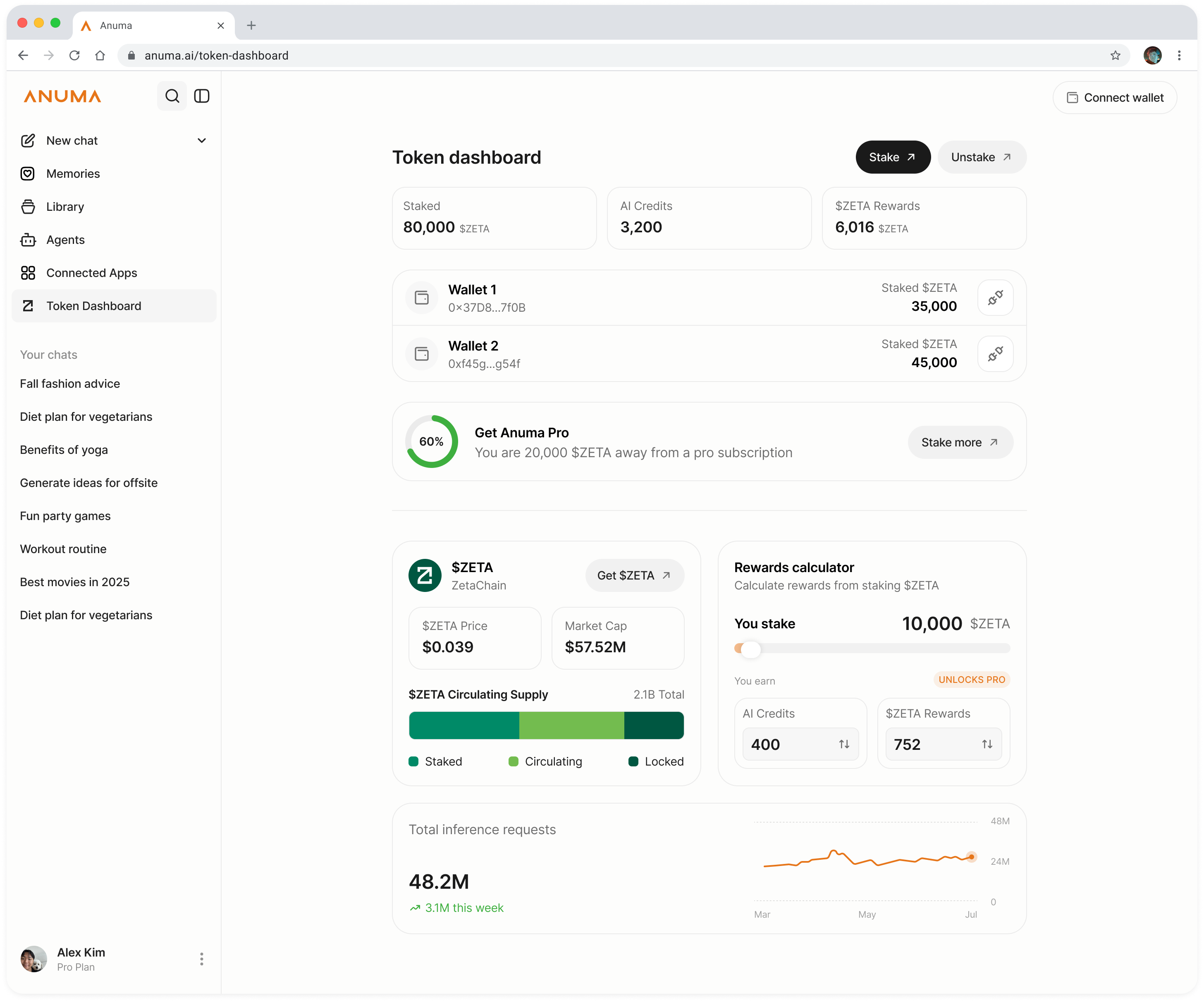
Example dashboard: your own staked balance, AI credits, and $ZETA rewards reflect your account and change over time.
Estimate your earnings
The Token Dashboard includes a rewards calculator. Enter an amount of $ZETA to stake and it estimates the AI credits and $ZETA staking rewards you’d earn, using the current live rates. You can also work backwards: enter a target number of AI credits to see how much $ZETA you’d need to stake.
I don’t have any $ZETA yet
If you have no $ZETA, Anuma surfaces a Get $ZETA option that links out to ways to buy it:
- Coinbase: buy $ZETA with a Coinbase account, with ZetaChain selected as the destination network
- Debit or credit card: buy through Alchemy Pay
You can also send $ZETA in from another wallet. Just make sure it arrives on ZetaChain. When your $ZETA lands, return to the Token Dashboard and stake.
Good to know
- There’s no minimum to start earning AI credits: stake any amount.
- The 80,000 $ZETA Pro threshold is based on your combined balance across all connected wallets. Pro turns on automatically once you cross it.
- You can add to your stake anytime with Stake More. Balances stack.
- Staking does not lock you in for a fixed term. You can unstake anytime through ZetaHub. See Unstaking your $ZETA.
- Staking transactions happen on ZetaChain, so you pay ZetaChain network gas (in $ZETA) when you stake or unstake.
- ZETA holders approved a move to Solana in September 2026, but it has no date yet and nothing has moved. Only ZETA staked on ZetaChain earns AI credits. See What is the Token Dashboard.
Related articles