Connect your wallet
To earn AI credits from staking, you connect an external $ZETA wallet and bind it to your Anuma account. Binding links the wallet to your account so your staked balance counts toward your AI credits and your progress to Pro.
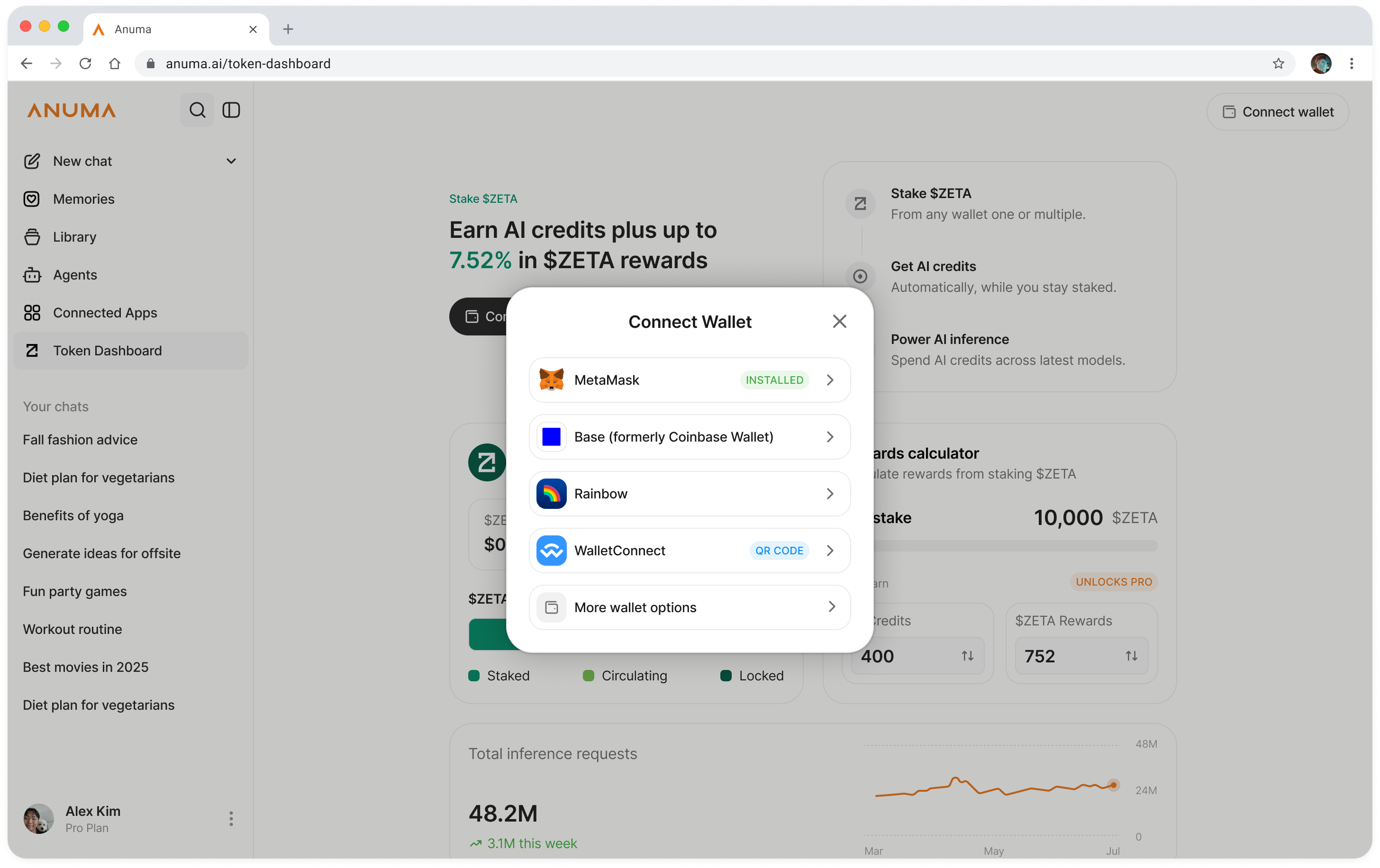
Why binding is needed
Anuma needs to know which on‑chain wallet belongs to you. Binding is a one‑time signature that proves you control the wallet. It does not move any funds and doesn’t give Anuma access to your keys. Once bound, any $ZETA you stake from that wallet automatically earns AI credits on your account.
You can bind more than one wallet. Anuma adds up the staked balances across all of them when calculating your credits and your progress toward the 80,000 $ZETA Pro threshold.
Steps
Step 1: Open the Token Dashboard
Tap Token Dashboard in the sidebar.
Step 2: Tap Connect Wallet
Choose the external wallet you want to connect (for example MetaMask or Coinbase Wallet). Anuma connects to it through Privy.
Step 3: Sign to bind the wallet
Your wallet prompts you to sign a short message. This signature proves ownership and binds the wallet to your Anuma account. It’s a signature only: no transaction, no gas, no funds moved.
Step 4: You’re connected
Once the signature confirms, the wallet appears on the Token Dashboard (labeled Wallet 1, Wallet 2, and so on) with its staked $ZETA balance. You can now stake from it, and any existing staked balance immediately counts toward your AI credits.
Managing connected wallets
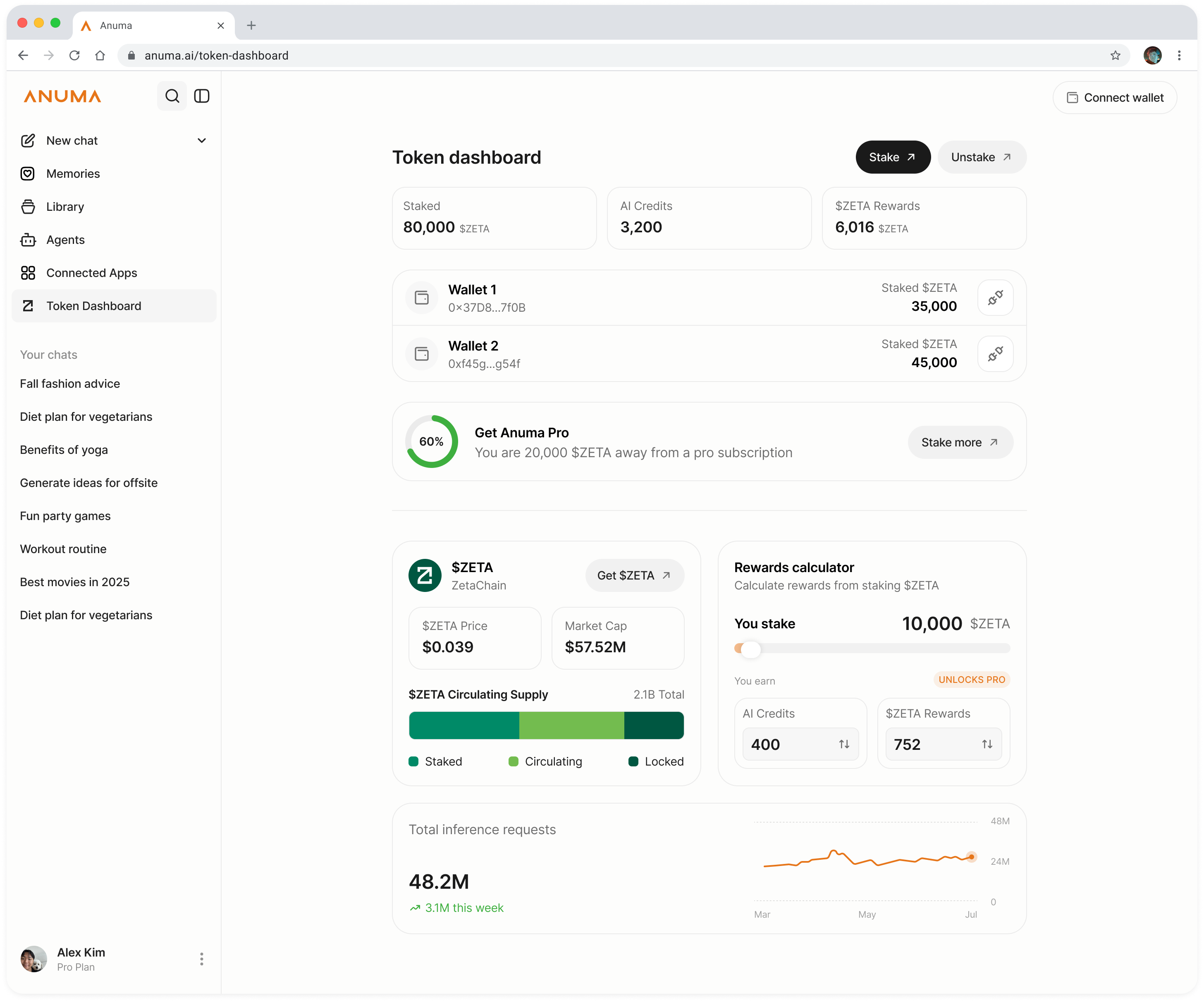
Example dashboard: wallet addresses and staked balances shown are illustrative; your own connected wallets appear here.
- Add another wallet: repeat the connect‑and‑sign flow to bind additional wallets. Staked balances are combined across all of them.
- Unlink a wallet: use Unlink wallet next to a wallet to remove it from your account. Unlinking only removes the association with your Anuma account; it does not unstake your $ZETA or move funds. Staking and unstaking always happen on‑chain through ZetaHub .
Embedded vs. external wallets
Anuma accounts come with an embedded wallet for general use, but staking requires an external wallet you can bind. The embedded wallet can’t be bound for Token Dashboard staking. Connect a wallet like MetaMask or Coinbase Wallet that holds your $ZETA on ZetaChain. See Wallets and networks for the full list and details.
Good to know
- Binding is a signature, not a transaction, so it’s free and instant.
- Your staked $ZETA stays in your own wallet’s control on‑chain; Anuma never custodies it.
- If you lose access to a wallet, its on‑chain staking position is recoverable through that wallet’s own seed phrase. It isn’t tied to your Anuma login.
Related articles