Updates inbox
The bell icon in the sidebar’s account row opens Updates, an in-app feed of Anuma product announcements. The same feed is in Settings → What’s new. New models, new features, and app improvements show up there as cards, so you can catch up on what’s changed without leaving your chat.
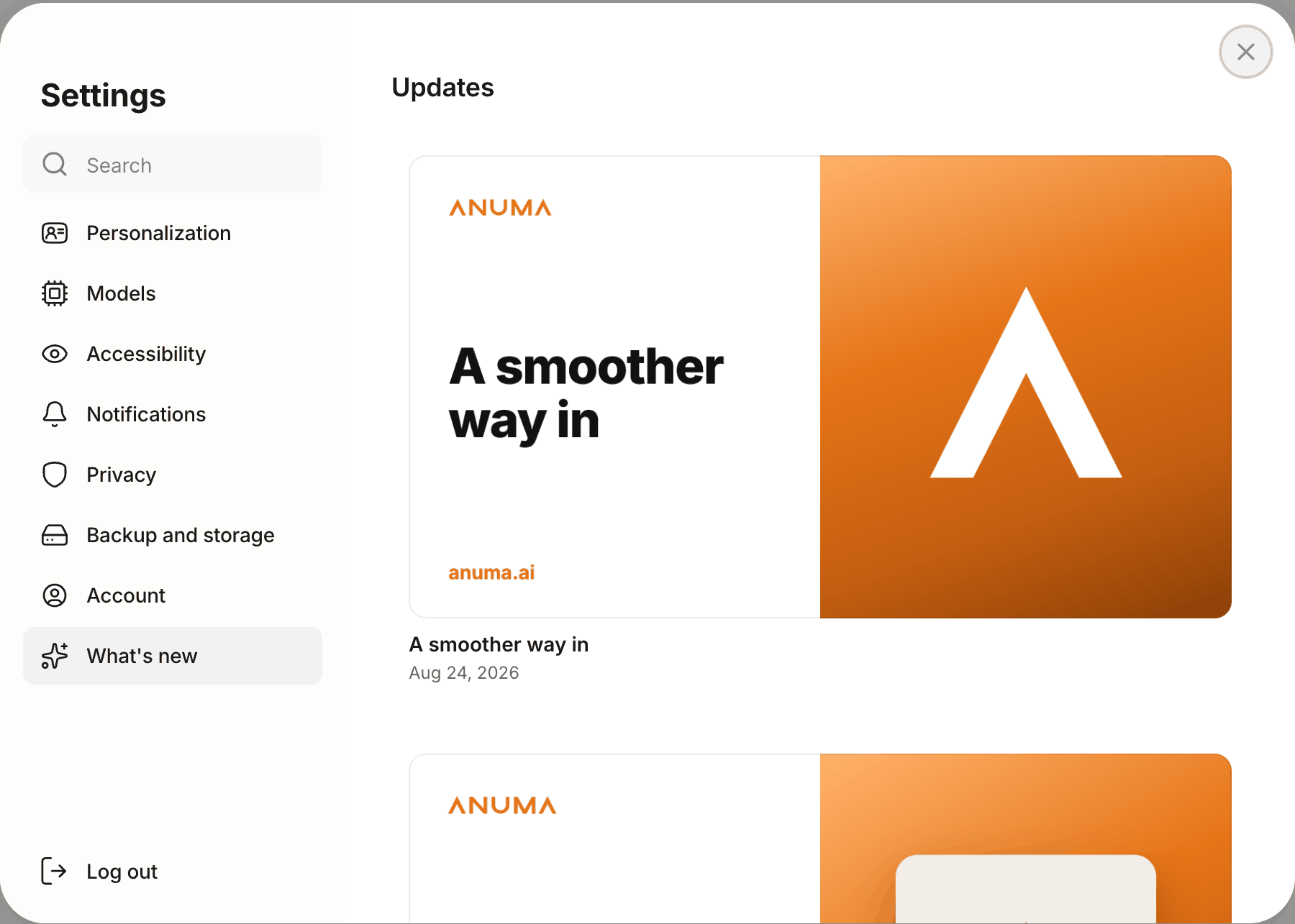
How it works
- The bell lives in the sidebar, next to your account name at the bottom. Click it to open the Updates panel (on smaller screens it opens as a bottom sheet).
- A dot on the bell means there’s something you haven’t seen from the last 30 days. Recent unseen items are also marked NEW inside the panel.
- Updates are marked as seen automatically as you scroll them into view, so there is nothing to dismiss or clear, and the list stays available to revisit anytime.
- Click any card to open the full announcement. The See all updates pill at the bottom of the panel takes you to the complete changelog, which lives at help.anuma.ai/whats-new.
Good to know
- The Updates inbox is currently web only. On the mobile app, Anuma uses push notifications instead.
- Reminders (a guest joined a meetup you host, your profile is unfinished, a chat is waiting) are opt-in, with quiet hours you set in notification settings, and each one opens the place it talks about.
- The feed shows the updates relevant to you: announcements that only apply to a specific plan are hidden if they don’t apply to yours.
- Brand-new accounts see the bell starting the day after signup, so your first session stays focused on chat.
- Your seen/unseen state follows your account, so the bell won’t re-light for something you already read on another device.
Related articles
Last updated on