What is the Token Dashboard?
The Token Dashboard lets you stake $ZETA on ZetaChain and earn AI credits automatically while your $ZETA stays staked, plus you keep earning $ZETA staking rewards on top. Stake 80,000 $ZETA or more and you also unlock the Anuma Pro Plan for as long as your balance stays above the threshold.
You stake $ZETA, AI credits accrue to your account on their own, and you spend them across the latest AI models.
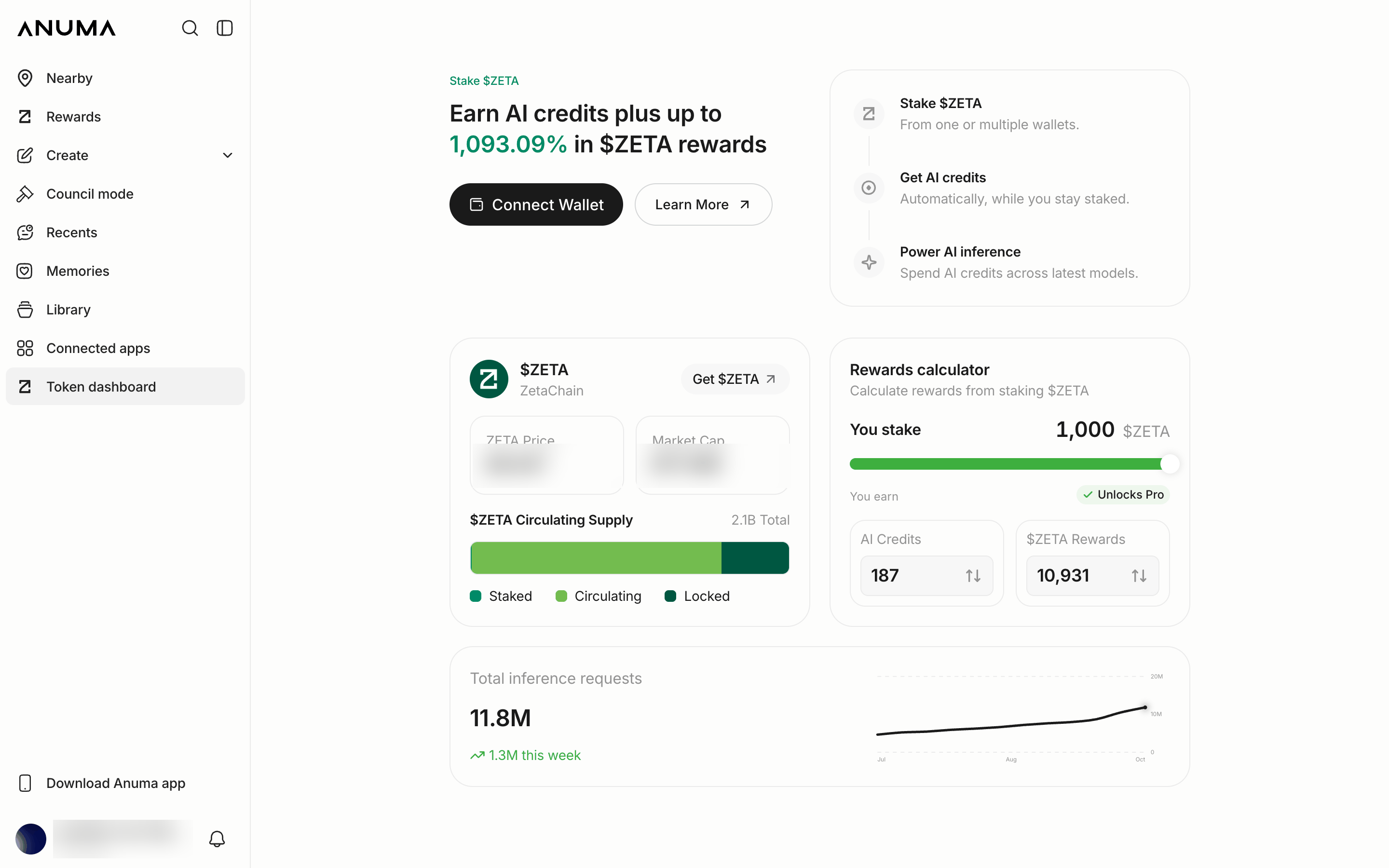
Example figures. The reward rate and balances shown update on the page and will differ from what is pictured.
How it works
- Stake $ZETA: from one or more wallets you connect to Anuma.
- Get AI credits: automatically, while you stay staked.
- Power AI inference: spend your AI credits across the latest models.
What you get
- AI credits that accrue automatically while your $ZETA is staked
- $ZETA staking rewards paid by the network, on top of your AI credits
- Anuma Pro benefits when your staked balance reaches 80,000 $ZETA, with no monthly Stripe charge required
- Stake from multiple wallets: your staked balances are combined across every wallet you connect
The reward rate and the amount of AI credits you earn per $ZETA are shown live on the Token Dashboard and in the built‑in rewards calculator. They can change over time, so the page is always the source of truth for current rates.
Anuma Pro at 80,000 $ZETA
Reaching 80,000 $ZETA staked turns on every Pro Plan benefit for as long as your balance stays at or above the threshold: 2,500 credits per month, unlimited backup, 50 GB media storage, and early access to new features. You earn AI credits from staking on top of those Pro benefits.
Below 80,000 $ZETA you still earn AI credits and $ZETA staking rewards proportional to your staked balance. You just don’t get Pro benefits until you cross the threshold.
ZETA on Solana
In September 2026, ZETA holders approved a proposal to bring ZETA to Solana as a native SPL token. ZETA is not on Solana yet: a second proposal will define the snapshot, the mechanism and how balances move, and nothing moves before it passes. Three things to know for the Token Dashboard:
- Staking for AI credits happens on ZetaChain. The Token Dashboard works with ZETA staked through ZetaHub. There is nothing to stake on Solana yet.
- Your balance is kept. The proposal keeps your balance, including staked positions and your Anuma credits in the Token Dashboard. A second proposal will define when and how balances move. Nothing changes for your staking until then.
- Your Anuma account’s Solana wallet is separate. Every Anuma account comes with a Solana wallet, but it is not the wallet you bind for staking. See Connect your wallet.
Background: Bringing ZETA and Private AI to Solana on zetachain.com.
How to open the Token Dashboard
Tap Token Dashboard in the sidebar. From there you connect a wallet, stake or unstake $ZETA, see your combined staked balance and accrued AI credits, and track your progress toward Pro.
Good to know
- The Token Dashboard runs on ZetaChain, so you need $ZETA in a ZetaChain‑compatible wallet to participate.
- You connect an external wallet (like MetaMask or Coinbase Wallet) and bind it to your account so your staking counts toward your credits. See Connect your wallet.
- Staking and unstaking happen on ZetaHub . Anuma deep‑links you there to complete the on‑chain action.
- If you have no $ZETA yet, Anuma surfaces options to buy it from Coinbase or with a debit card.
- The Token Dashboard is on the web today (desktop, and a Settings row in a mobile browser). It is not in the iOS and Android apps.
Related articles