File uploads
Attach a file and ask about it: summarize a PDF, pull numbers from a spreadsheet, describe a photo, compare two documents.
Available on: web, iOS, Android.
How to attach
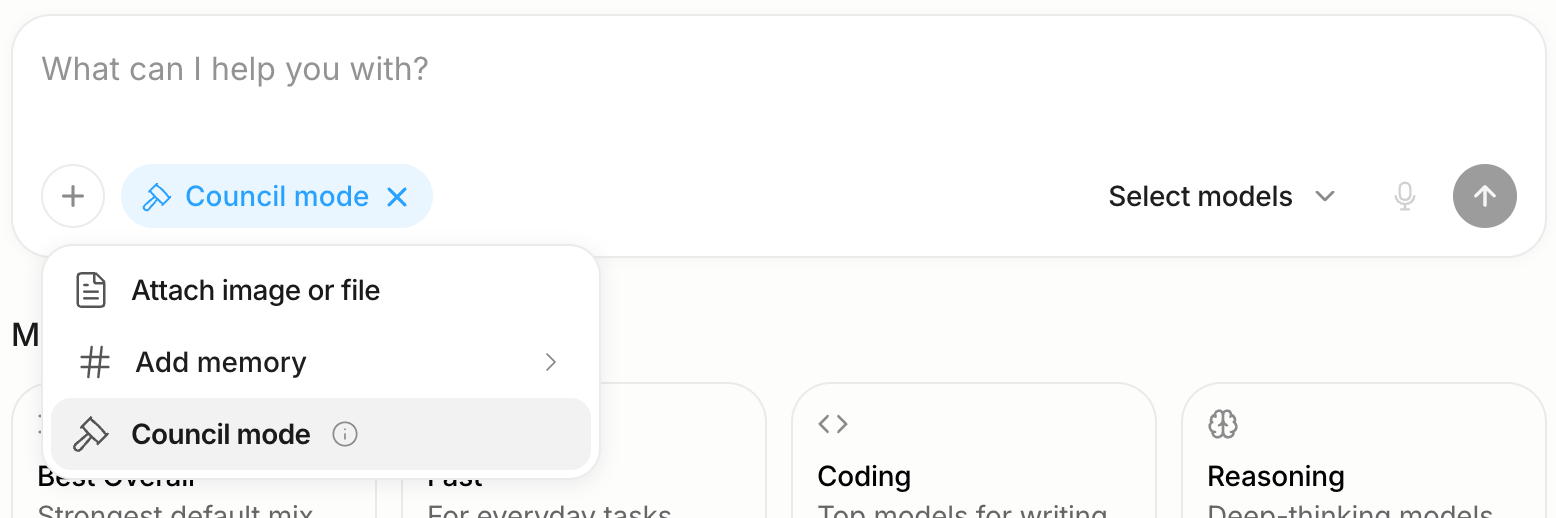
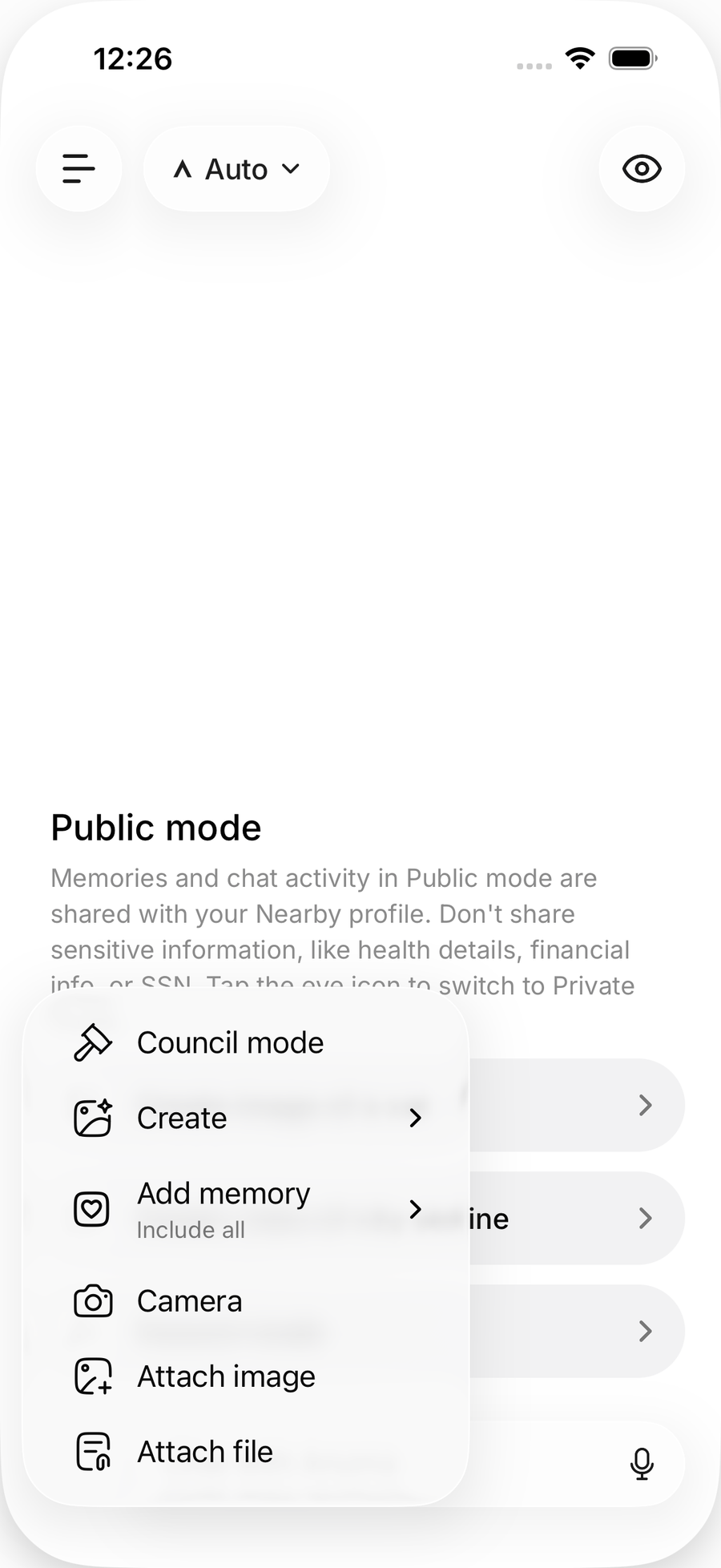
- Web: tap + → Attach image or file, drag a file into the chat, or paste it. Up to 20 MB per file.
- App: tap + and choose Attach file (PDF, TXT, CSV, Markdown), Attach image, or Camera.
Web
What works well
- Documents: PDF, Word and text files for summaries, questions and extraction.
- Spreadsheets: CSV and Excel for analysis and charts.
- Images: photos, screenshots and diagrams. Every Standard model accepts images; among Private models, Kimi, Qwen and MiniMax do, GLM and Ling do not.
- Several files at once to compare them, or in Council Mode so every model reads the same file.
Good to know
- Attachments go to the provider of the model that answers, like the rest of the prompt. PII redaction does not scan attachments. See How Anuma keeps your data private.
- Files from a chat are listed under View files in chat in the header menu (web).
- Importing a document as memories is a different feature. See Import conversations.
Related articles
Last updated on